SnapSign Model Releases Meet Adobe Stock Standards
A SnapSign model release meets Adobe Stock's model release requirements out of the box. Every field Adobe's reviewers check — legal names, witness signature, shoot description, dated signatures, and explicit commercial consent — is built into our Adobe Stock template by default. No workarounds. No hoping a generic form happens to match what the platform expects.
Adobe Stock licenses contributor content worldwide for commercial use. That means their review process is thorough, and release-related rejections are among the most common reasons contributors see their submissions bounced. We built our Adobe Stock template so the release itself is never the reason a submission fails — if the information is complete, the documentation passes.
This article walks through exactly what Adobe Stock requires, how our template maps to those requirements field by field, and why a structured digital workflow catches the mistakes that paper releases and generic forms miss. If you are new to model releases entirely, start with our model release guide — it covers the legal foundations every photographer should understand before submitting to stock platforms.
What Adobe Stock Requires From Model Releases
Adobe Stock's model release requirements are specific but straightforward — and they form the foundation of contributor compliance for the platform. The review team needs a legally valid document that proves the person in your photo or video gave informed, explicit permission for commercial use — the same legal foundation covered by the model release concept in photography law. If any required element is missing, the submission is rejected — regardless of how strong the image is.
Here is the full list of what an Adobe Stock model release must include, drawn from Adobe's contributor legal guidelines and the legal framework that governs model releases across all commercial photography:
- Model's full legal name — must match a government-issued ID. Nicknames, stage names, or partial names will trigger a rejection.
- Model's date of birth — Adobe Stock uses this to confirm the model is of legal age to sign, or to flag when a minor release (signed by a parent or guardian) is required instead.
- Photographer or contributor contact information — name, address, and contact details for the person submitting the content.
- Specific shoot description — what was photographed, when, and where. "Fashion shoot" is too vague; "Outdoor editorial fashion series, Central Park" passes review.
- Dated signatures — both the model and the photographer must sign and date the release. Undated signatures are treated as incomplete.
- Witness signature — a third party who is not the photographer must witness the model signing and add their own signature. This is the single most commonly missing field in rejected submissions.
- Explicit commercial consent language — the release must state clearly that the model agrees to commercial use of their likeness. Ambiguous phrasing or implied consent does not meet the standard.
These are not suggestions. Adobe Stock contributors learn this the hard way — a release that checks nine out of ten boxes is still a rejected release. The good news: every one of these requirements is addressed by a structured digital template.
How SnapSign Aligns With Adobe Stock Standards
We built our Adobe Stock model release template by working through the platform's contributor guidelines field by field. The result is a template where every required element is present, clearly labeled, and structured so nothing gets skipped.
Fields That Cannot Be Missed
Paper forms leave it to the photographer to remember every required field. Miss the witness line? Rejection. Forget to date the signatures? Rejection. Generic digital forms have the same problem — nothing stops you from tapping "Done" on an incomplete release except your own attention to detail, which at the end of a 10-hour shoot day is not at its sharpest.
Our template marks every required field — legal name, DOB, shoot description, witness details — and prevents you from completing the contract until those fields are filled. The release physically cannot be signed with gaps.
Digital Signatures With Integrity Proof
Adobe Stock accepts electronic signatures when the document is tamper-evident and the signing process is traceable. SnapSign addresses both:
- Timestamped signatures — every signature is recorded with a time and date stamp, so reviewers can confirm when each party signed.
- SHA-256 contract hashing — once a contract is signed, SnapSign generates a SHA-256 hash — a cryptographic fingerprint of the document. If the PDF is altered after signing, the hash no longer matches, and the tampering is immediately detectable. This is a stronger integrity guarantee than anything a paper form can offer.
- Contract locking — when signing begins, the main contract details are locked. The PDF the model reviewed and signed is the same PDF the reviewer sees.
Adobe Stock reviewers do not need to be cryptography experts to benefit from this — they see a clean, complete, consistently formatted release with all fields populated and all signatures present. The hashing and locking happen behind the scenes.
Adobe Stock Requirements vs SnapSign: How We Compare
Here is how our Adobe Stock template covers each requirement the platform enforces:
| Adobe Stock Requirement | SnapSign Template | Why It Matters |
|---|---|---|
| Model's full legal name | Required field — cannot be skipped | Prevents nickname/alias rejections |
| Date of birth | Required field in model participant section | Confirms legal age; flags minor release need |
| Contributor contact info | Creator section with full contact fields | Adobe Stock needs to reach you if questions arise |
| Specific shoot description | Dedicated shoot details section with date, location, description | Vague descriptions are a top-3 rejection cause |
| Dated signatures | Auto-timestamped digital signatures | No undated signature rejections — timestamp is automatic |
| Witness signature | Dedicated witness participant section with signature field | The #1 missing field in rejected releases — built in by default |
| Commercial consent language | Explicit commercial usage clause in contract text | Clear, legally valid consent — no ambiguous phrasing |
Every row in this table is a rejection reason we have seen Adobe Stock contributors discuss in photography forums. Our template eliminates each one at the structure level — not by asking you to remember more things on a shoot day.
Common Rejection Reasons — and How SnapSign Prevents Each One
Adobe Stock's contributor compliance review flags releases for a handful of recurring issues. Here is what gets a release rejected and why a structured digital template stops each problem before you ever hit submit:
| Rejection Reason | Why It Happens | Prevented by SnapSign |
|---|---|---|
| Missing witness signature | Photographer forgets to bring a witness, or witness signs but doesn't print their name | Dedicated witness participant section — name and signature are separate required fields, neither can be skipped |
| Missing or vague shoot description | Contributor writes "fashion shoot" or leaves the field blank | Structured shoot details section with date, location, and description — all required before signing |
| Name mismatch with ID | Nickname, stage name, or partial name entered instead of full legal name | Legal name field labeled explicitly — models see exactly what is expected before they sign |
| Undated signatures | Paper form signed without a date; reviewer cannot confirm when consent was given | Auto-timestamped digital signatures — date and time are recorded automatically on every signature |
| Illegible handwriting | Paper form filled out in a hurry on set; reviewer cannot read the information | All fields are typed — every name, date, and description is perfectly legible in the generated PDF |
| Wrong release format or corrupted file | Scanned paper form saved in unsupported format or exceeds 10 MB limit | Standardized PDF output — consistent format, optimized file size, no scan artifacts |
| Missing commercial consent language | Generic form uses ambiguous terms like "may be used" instead of explicit commercial grant | Contract text includes explicit commercial usage clause — no ambiguity, no guessing |
These seven issues account for the majority of stock photography paperwork rejections on Adobe Stock. A tool that prevents all seven by design means the release itself is never the reason a submission fails.
Why Digital Releases Reduce Rejection Risk
Paper model releases fail Adobe Stock review for reasons that have nothing to do with whether the model actually consented. Illegible handwriting. A missed field because the form was printed crooked. A witness who signed but forgot to print their name. A coffee stain that obscured the date. For contributors managing stock photography paperwork across dozens or hundreds of images, these are not hypotheticals — they are everyday realities that multiply with every submission.
A structured digital release prevents these failures by design. The American Society of Media Photographers has long recommended digital record-keeping for model releases — the format itself is no longer the issue. What matters is whether the tool enforces completeness:
- No handwriting to misinterpret. Every field is typed. The reviewer reads "Alejandra García" — not a best guess at a signature rendered in ballpoint pen.
- No skipped fields. The template blocks completion with empty required fields. You cannot accidentally submit a release with a missing witness or an empty shoot description.
- No post-signing alterations. Contract locking means the document you reviewed is the document Adobe Stock receives. No accidental edits, no version confusion.
- No lost paperwork. Signed releases are stored in the app and can be exported as PDFs or JPGs. Cloud backup means access from any device — lose your phone, keep your release archive.
None of this requires you to become a legal expert. It requires the tool to enforce the structure — which is exactly what a well-built digital release template does.
When You Do Not Need an Adobe Stock Model Release
Not every submission requires a model release. Adobe Stock does not require one for photos of landscapes, objects, food, or architecture where no person is recognizable. Crowd shots where individuals are not identifiable and the image is not used in a way that implies endorsement also fall outside the requirement. Editorial-use-only content — images licensed for news, documentary, or educational purposes rather than commercial advertising — may not need a release, though Adobe Stock's editorial policies are separate from their commercial ones.
That said, if a person is recognizable and the content is licensed for commercial use, a release is mandatory. No exceptions, no workarounds. Adobe Stock's review system is automated in part — a missing release flag halts the submission regardless of how editorial the context might seem to you. When in doubt, get the release. It takes minutes with a structured digital template. Getting a submission rejected and re-uploading takes days.
Using SnapSign for Adobe Stock Submissions
The workflow is straightforward and fits into the natural rhythm of a shoot day. For Adobe Stock contributors who prefer an app-based workflow over logging into a desktop portal to manage releases, SnapSign is purpose-built for the job. Once your release is ready, head to the Adobe Stock contributor portal to upload your content and attach the signed PDF:
- Open SnapSign and select the Adobe Stock model release template. The template loads with all required participant sections — model, creator, witness — pre-configured.
- Fill in the shoot details. Add a specific description, date, and location. This is the information Adobe Stock reviewers use to confirm the release matches the submitted content.
- Collect signatures. The model signs in the app or through a secure Signature Request if signing remotely. The witness signs on the spot. Every signature is timestamped automatically.
- Export the signed PDF. The generated PDF is formatted for stock platform submission — clean layout, all fields clearly printed, signatures embedded.
- Attach to your Adobe Stock submission. Match the model's name exactly to the release and upload your content.
If you are submitting the same model across multiple shoots, our Model Profiles feature saves their legal name, DOB, and contact details so you never retype them. For group shoots — fashion lookbooks, editorial series, multi-model campaigns — Group Events let you send releases to every participant at once and track who has signed in real time.
Pre-Upload Checklist for Adobe Stock
Before you hit submit on the contributor portal, run through these three checks. They take thirty seconds and prevent the most common upload-level rejections:
- Release attached. The signed SnapSign PDF is uploaded and linked to the correct image or video file — not a draft, not a blank template, not the wrong model's release.
- Names match. The model's name on the release matches the name on their government ID exactly. No nicknames, no shortened versions, no spelling variations between the release and what Adobe Stock has on file.
- Metadata is complete. Title, keywords, and category are filled in on the Adobe Stock submission form. A perfect release attached to a submission with empty metadata still gets bounced — the review is holistic.
This checklist is not a suggestion. Skip any of these three and your submission sits in review limbo until it comes back rejected — and re-uploading with the fix takes longer than getting it right the first time.
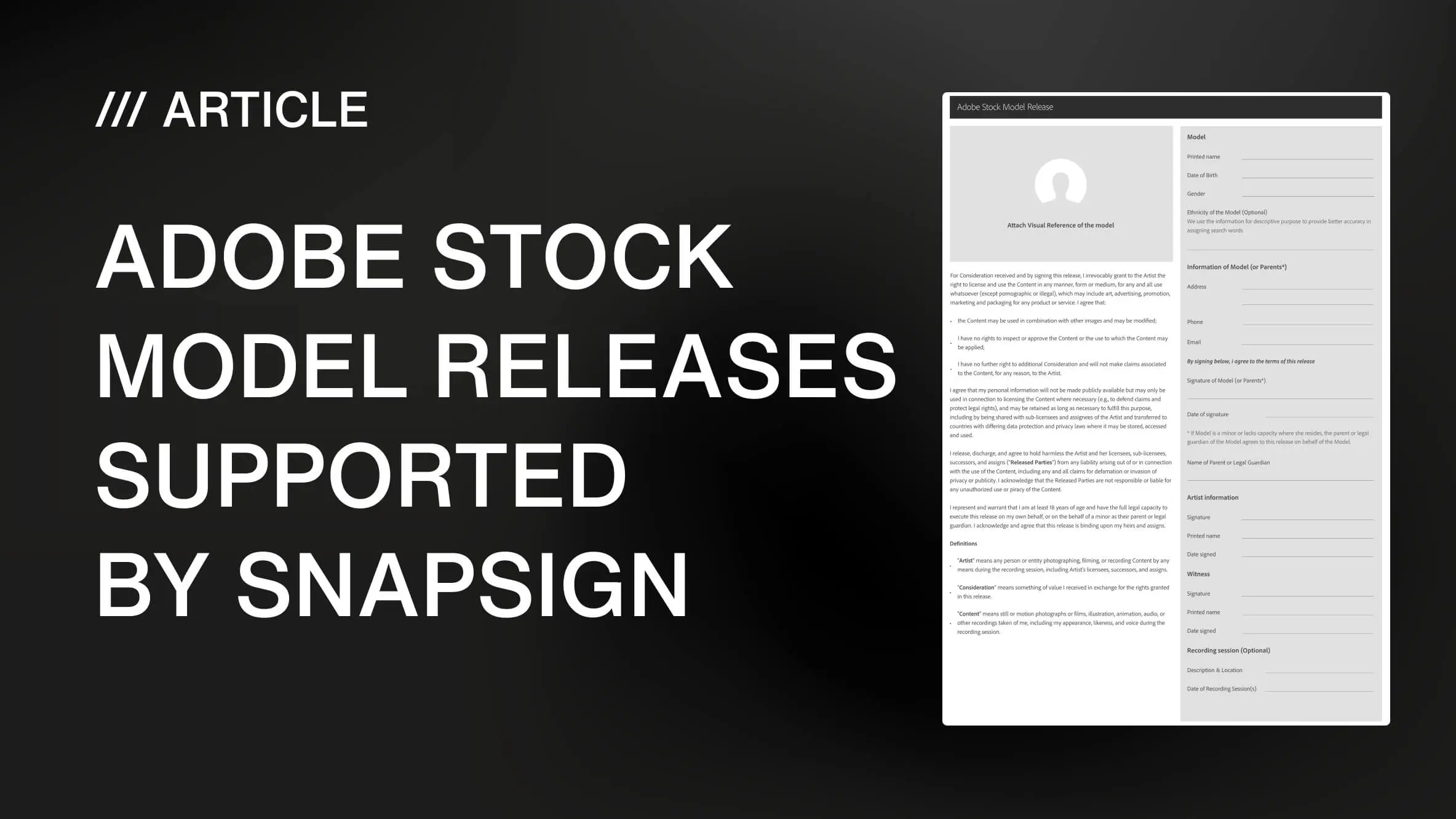
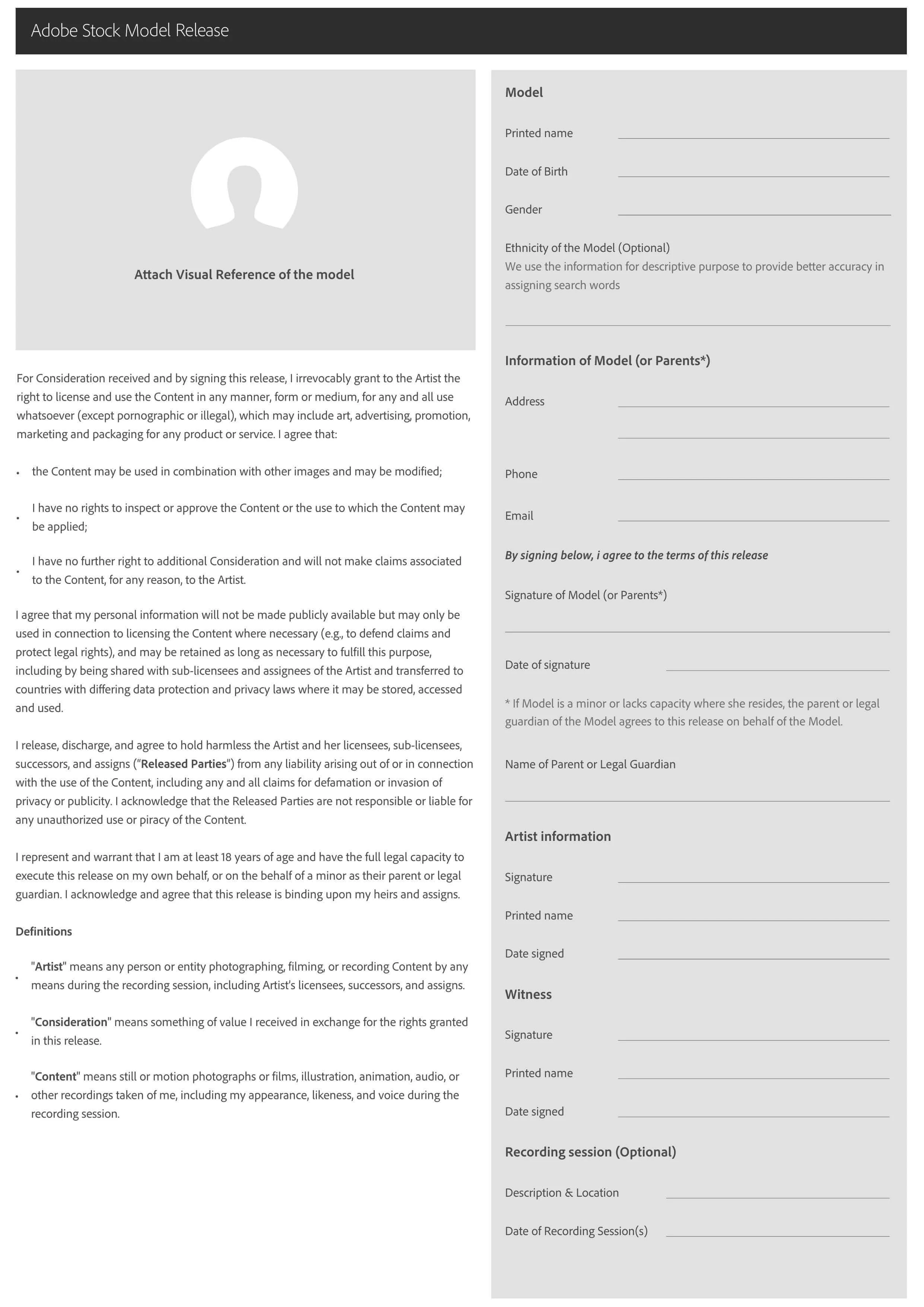
Download Official Adobe Stock Model Release Template
We host the official Adobe Stock model release form for contributors who want a clean, downloadable copy. Use it as a reference to confirm the exact fields the platform expects — then create your release in SnapSign to get the same structure in a digital format with the added protection of structured fields, digital signatures, timed-out links for remote signing, and SHA-256 hashing.
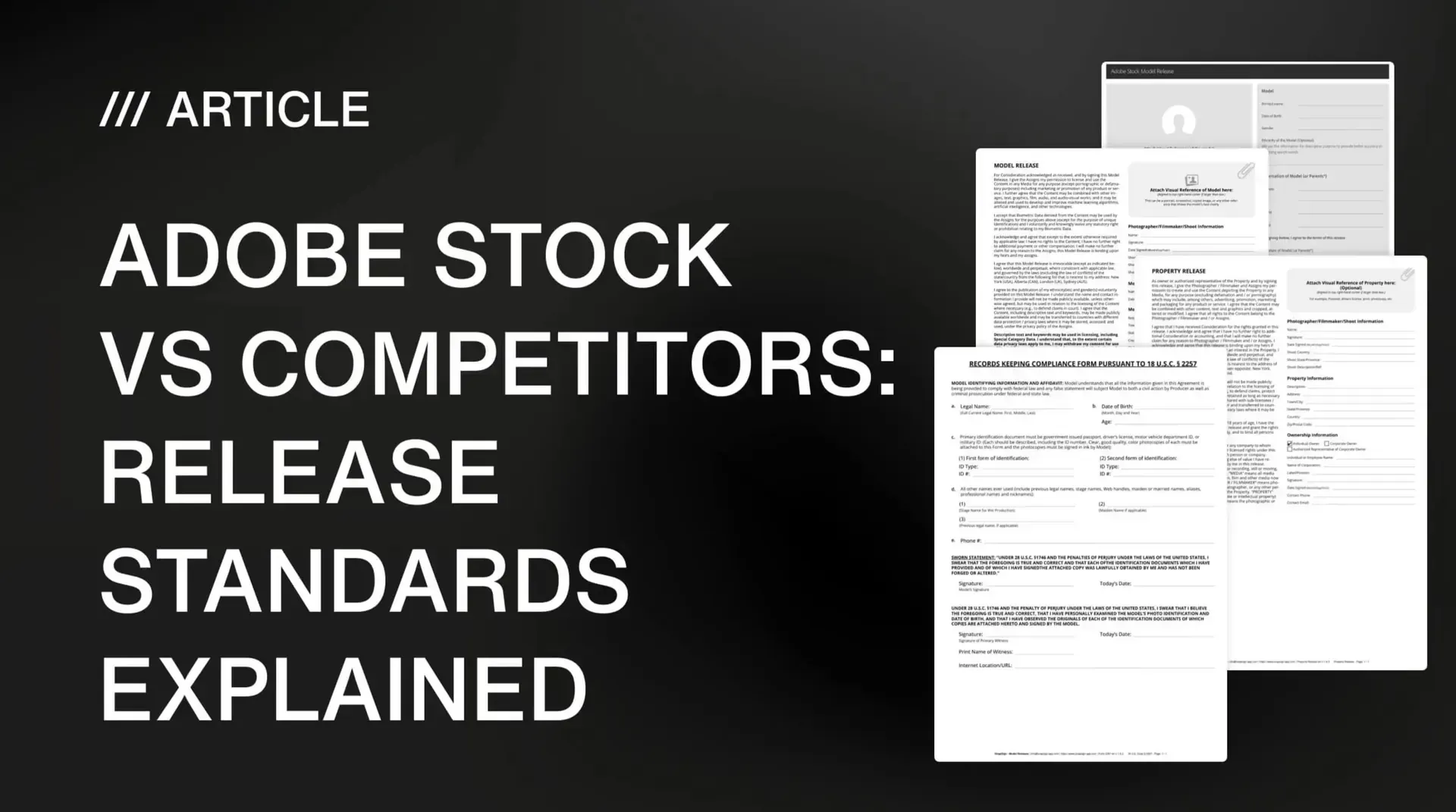
For a deeper comparison of how Adobe Stock's requirements stack up against other major platforms, read our Adobe Stock vs competitors release standards guide. If you submit to multiple stock agencies, our Getty Images certified releases meet that platform's standards as well — and a release that passes Getty's review typically exceeds what Shutterstock and most other agencies require.
Final verdict - Adobe Stock Model Release
SnapSign model releases meet Adobe Stock's requirements. Our template includes every field the platform checks — legal names, witness signature, shoot description, dated signatures, and explicit commercial consent — and our structured digital workflow prevents the paperwork mistakes that cause most rejections. If you are an Adobe Stock contributor, you can stop worrying about whether your release will pass review and focus on what you are actually there to do: create work worth licensing.