Exclusive KelbyOne offer
Model releases made simple
Create, send, sign, and store professional model and property releases directly from your phone or tablet. SnapSign helps photographers spend less time managing paperwork and more time shooting.
Save 10% on a yearly SnapSign subscription
Use promo code KELBYONE26 in the SnapSign app
Install SnapSign, open the subscription screen, and enter promo code KELBYONE26.

-
Professional release templates
-
Remote signing without app installation for the signer
-
Export completed releases as PDF
Getty Images has confirmed that releases generated by SnapSign meet its standards, including enhanced model releases, when correctly completed.
From release to signature in minutes
Create a release, send it to the model, and receive the signed document without printing, scanning, or chasing paperwork.
-
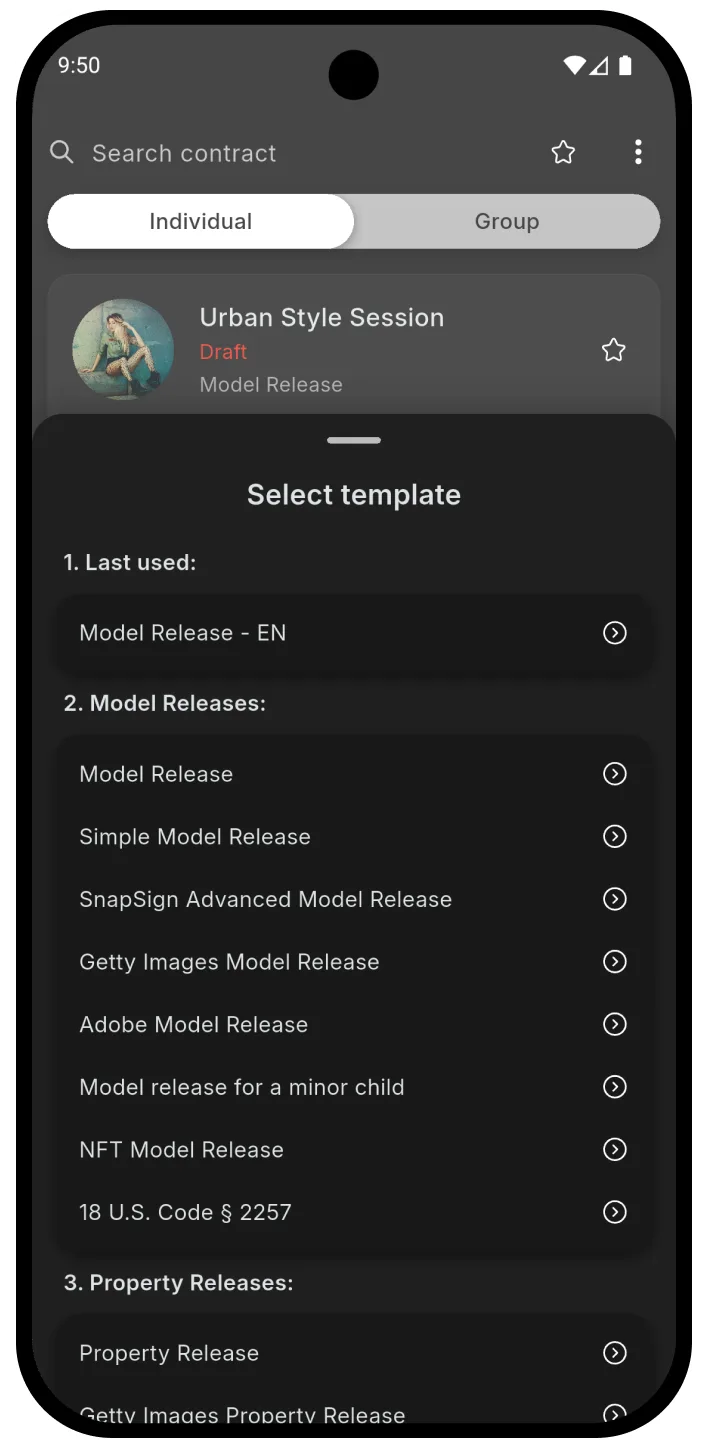
Step 1
Choose a template
Start with a ready-made model or property release, including Getty Images release templates, or create your own reusable contract text.
-
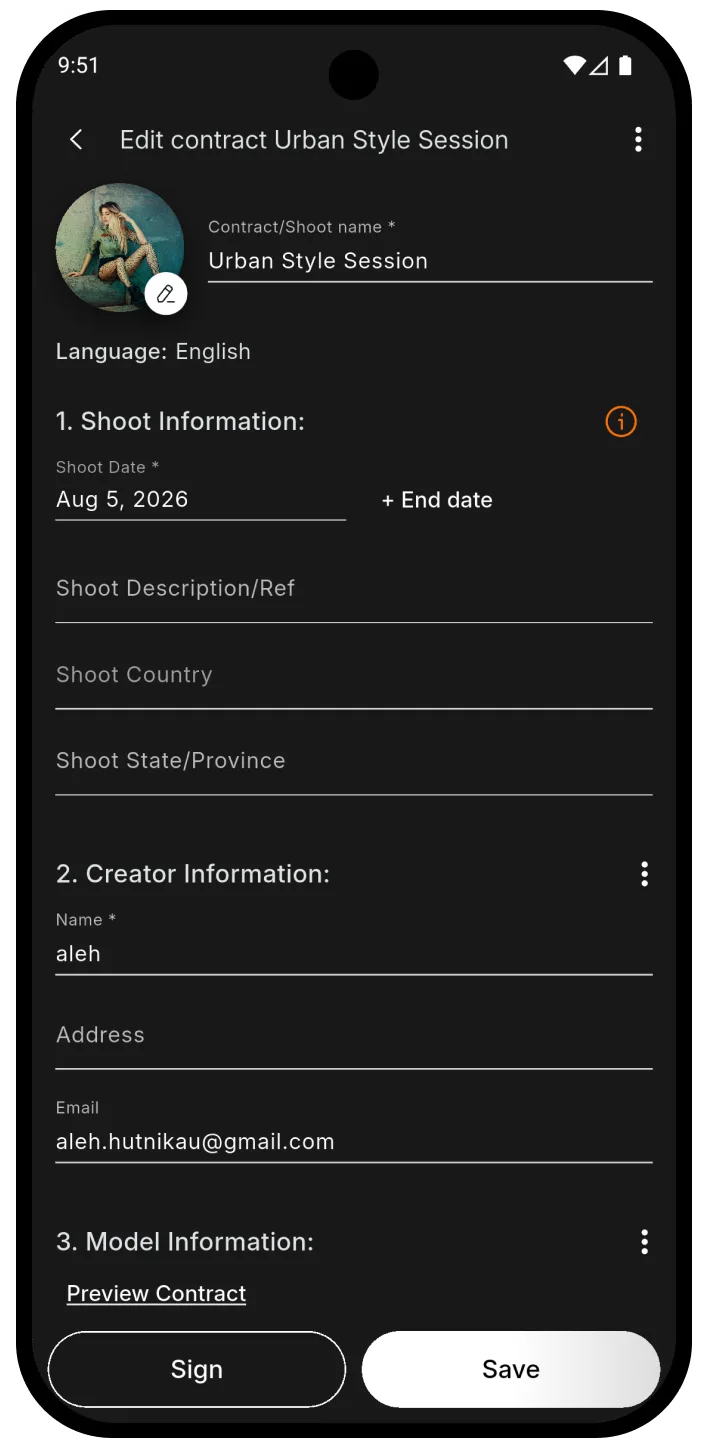
Step 2
Fill in the shoot details
Add the shoot information and participant details directly in the SnapSign app.
-
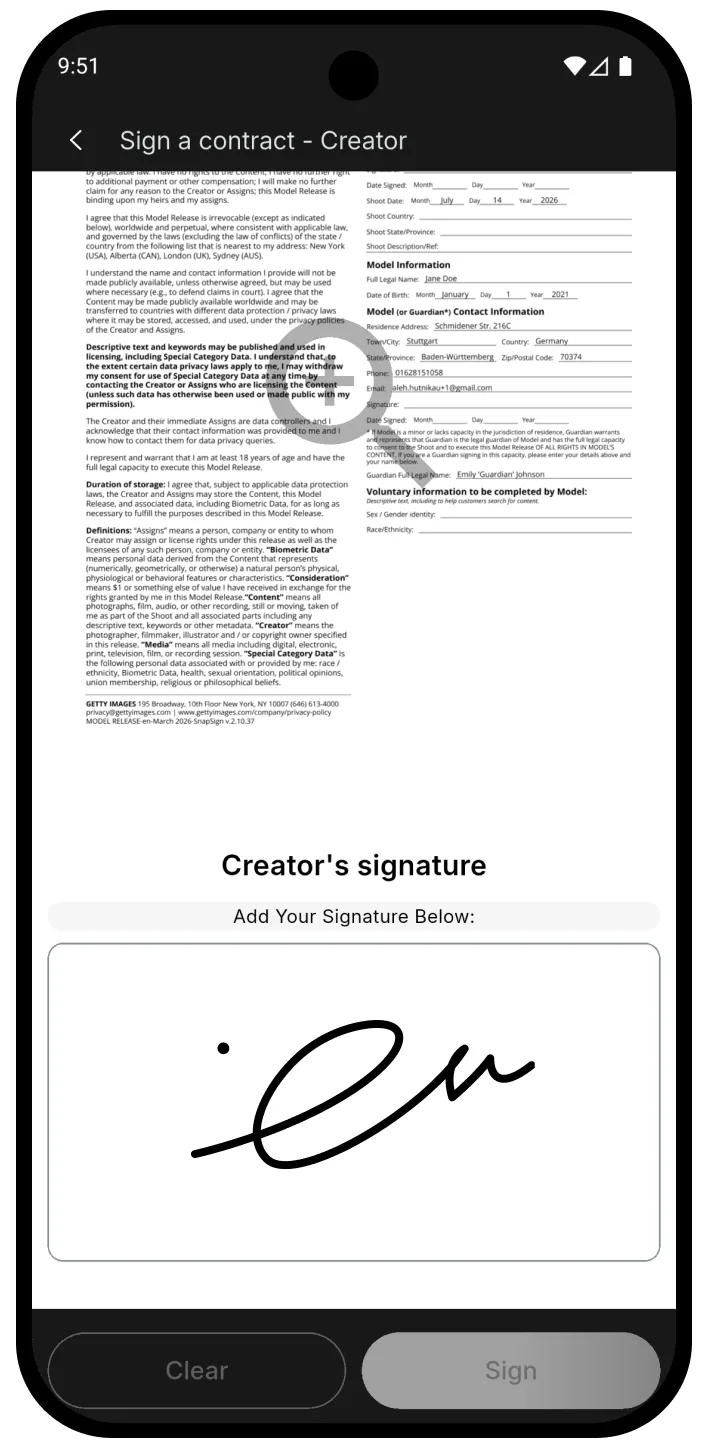
Step 3
Collect signatures
Sign in person or send a secure email link. The recipient can review and sign in their browser without installing SnapSign.
Everything you need to manage release forms
-
Model and property releases
Use professional templates for individual shoots, commercial work, stock photography, and video production.
-
Remote signing
Send a release by email and let the signer complete their details and sign directly in the browser.
-
In-person signing
Hand over your phone or tablet and collect a signature during the shoot.
-
Reusable model profiles
Save frequently used model details and fill future releases faster.
-
Group shoots and workshops
Manage multiple models, creators, and releases in one event with invitation links and QR codes.
-
PDF export and storage
Keep completed releases organized and export signed documents whenever you need them.
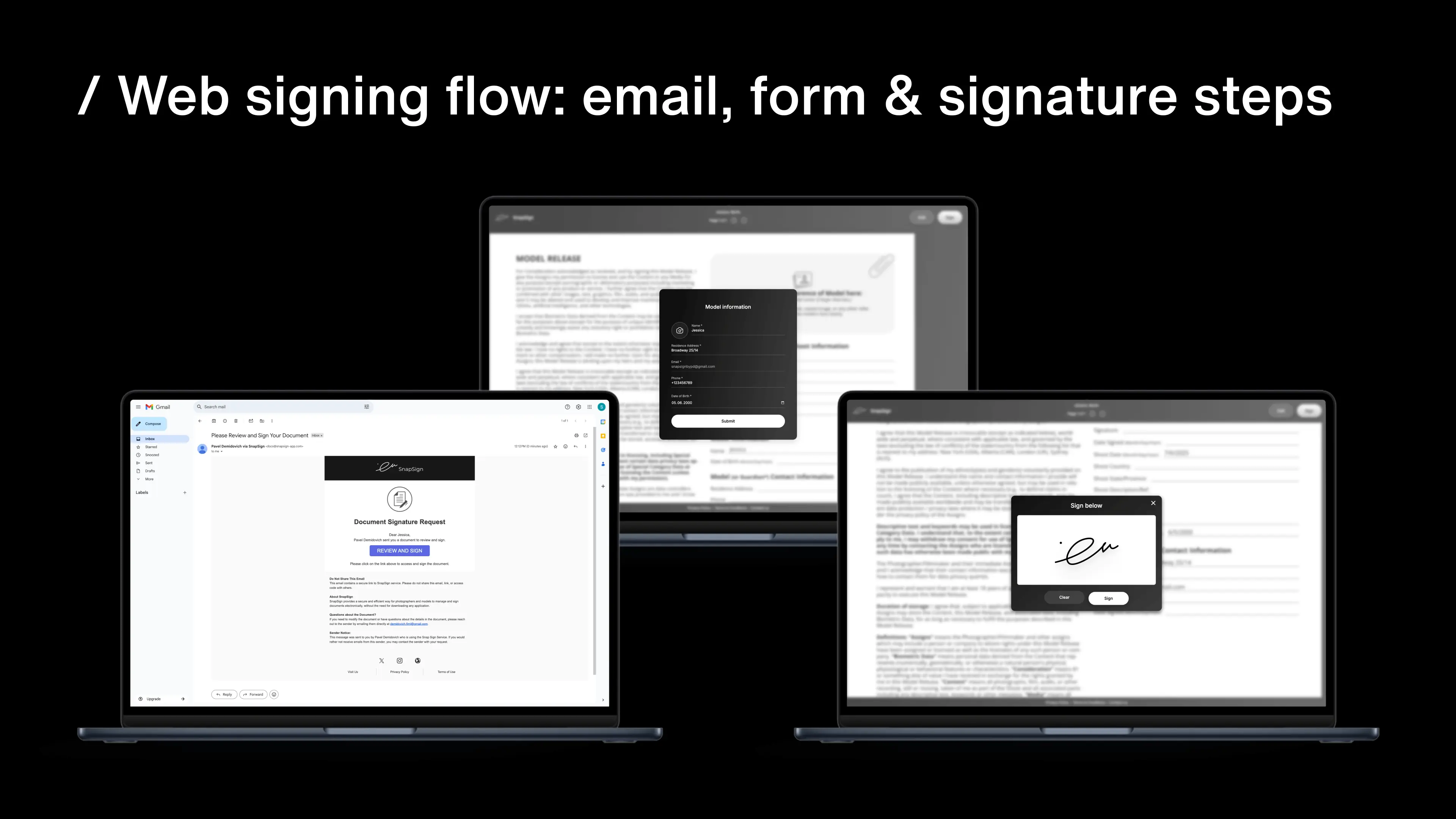
Your model does not need to install the app
Send a signature request to any email address. The recipient opens the link, reviews the release, updates their personal information, and signs directly in the browser.
- No SnapSign account required for the signer
- Works on phones, tablets, and computers
- The completed release appears in your SnapSign app
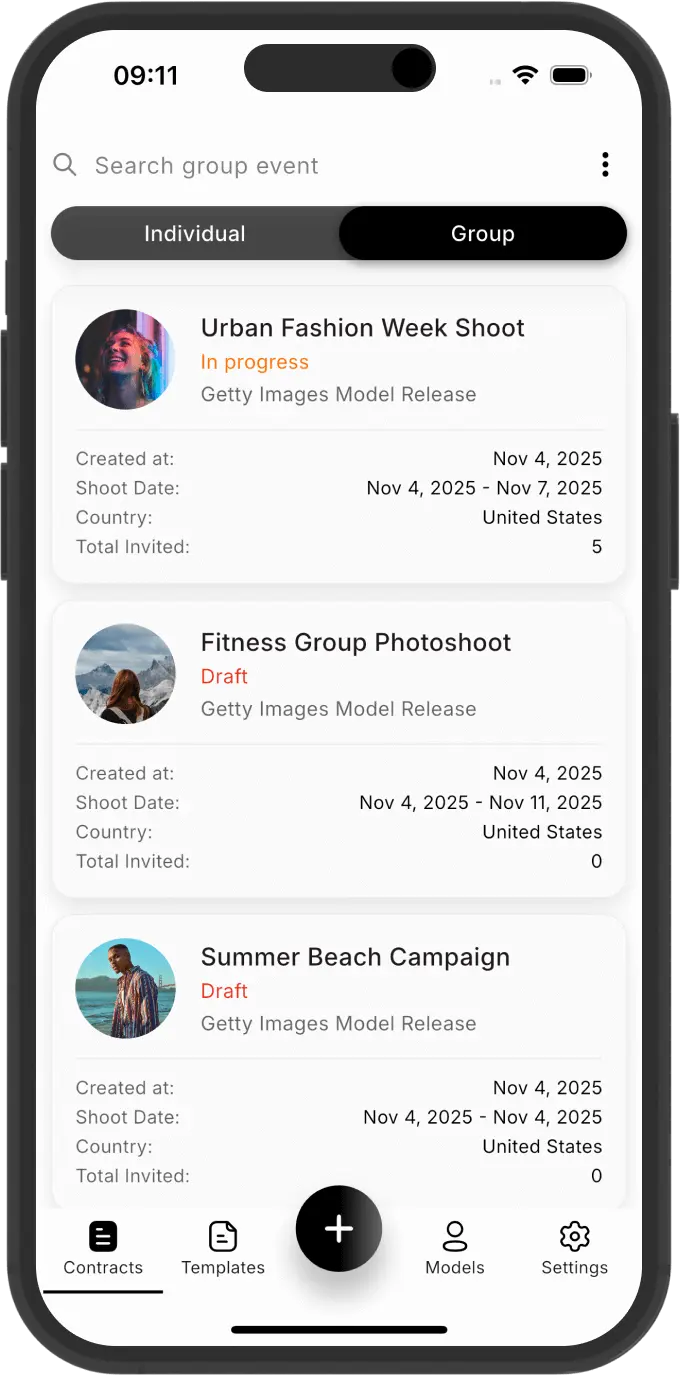
Running a workshop or group shoot?
SnapSign Group Events help you collect and track releases from multiple participants. Share an invitation link or QR code, let models enter their own details, and see who has already signed.
KelbyOne exclusive
Exclusive offer for the KelbyOne community
Get 10% off a yearly SnapSign subscription
- Download SnapSign from the App Store or Google Play.
- Create an account or sign in.
- Open the subscription screen.
- Enter promo code KELBYONE26.
- Select an eligible yearly subscription.
The 10% discount applies to eligible yearly subscriptions. Pricing and availability may vary by platform and region. The offer cannot be combined with other promotions.
Frequently asked questions
Can a model sign without installing SnapSign?
Yes. You can email a secure signing link, and the recipient can complete their information and sign directly in the browser.
Can I use SnapSign for property releases?
Yes. SnapSign includes templates for both model releases and property releases.
Can I use my own release text?
Yes. You can create reusable custom templates with your own contract text and participant fields.
Does SnapSign support group shoots?
Yes. Group Events are designed for workshops, group shoots, casting days, and productions involving multiple participants.
Can I export signed releases?
Yes. Completed releases can be exported and shared as PDF documents.
How do I use the KelbyOne discount?
Download SnapSign, create or sign in to your account, open the subscription screen, and enter promo code KELBYONE26 before selecting an eligible yearly subscription.
Spend less time on releases and more time creating
Create professional releases, collect signatures, and keep every document organized with SnapSign.
Use code KELBYONE26 for 10% off an eligible yearly subscription.