Why Digital Model Releases Are the New Standard
A digital model release replaces the paper form you used to print, sign, scan, and file — with an app that does all of that in seconds, from any device. It is legally binding, faster than paper, and backed by audit trails that paper can never provide. If you are still carrying a clipboard and a pen to every shoot, you are adding friction to your workflow that your competitors have already eliminated.
I'm Pavel Demidovich — film photographer, filmmaker, and founder of SnapSign. I switched to digital model releases after one too many paper forms blew into a puddle on set. That day cost me 45 minutes of golden-hour light, two re-signed forms, and any remaining patience I had for printers. What I did not expect was how much else would improve once I made the switch — organization, client trust, legal protection, and the simple peace of knowing that every signed release was backed up before I packed my gear.
I'm not alone in this. The r/photography threads I've followed on the topic — including this long-running discussion about model release requirements — keep surfacing the same pattern: the legal questions are real, but the workflow friction is what actually drives the switch.
TL;DR — ten reasons, one decision: Digital model releases are faster (seconds, not minutes), safer (cryptographic hashes beat ink signatures), searchable (type a name instead of flipping through binders), and legally stronger (timestamped audit trails prove who signed and when). They survive floods, fires, and lost luggage. They work offline. And they make you look like the professional you are. If you shoot more than once a month, the switch pays for itself in the first week.
Paper Clutter Is a Liability, Not an Archive
Paper releases do not scale. I used to carry a binder organized by project — tabs, dividers, the full system. It worked until a shoot ran late, I shoved two forms into the wrong section, and spent twenty minutes the next day figuring out which model belonged to which job. Multiply that across a year of shoots and you are losing hours to a filing problem that software solved a decade ago.
Paper releases also die in predictable ways. Coffee spills on the craft services table. Rain soaks through a camera bag. A form gets crumpled in someone's pocket and the signature becomes illegible. I have lost paper releases to all three, and each time the image became legally unusable — not because the model refused permission, but because the physical evidence of that permission was destroyed.
| Before (Paper) | After (Digital) |
|---|---|
| Binder full of forms | Search bar — type a name, find it instantly |
| Printer, pen, clipboard | Phone — always in your pocket |
| Scanner + filing cabinet | Automatic PDF + cloud backup |
This is not hypothetical. I once had two days of paperwork vanish during a studio move — forms I had signed, filed, and assumed were safe. They were not. The images from those shoots are still locked in my archive, unusable for anything beyond personal display. On r/WeddingPhotography, a thread about a hotel demanding a model release from a wedding couple showed how even seasoned pros get caught off guard by release requirements — and how a missing or damaged form creates problems that no amount of post-shoot emailing can fix.
The organizational difference is not about neatness. It is about being able to produce a specific release from a shoot three years ago when a client asks for proof of usage rights. Paper in a binder cannot do that in under five minutes. A search bar can.
A digital photo release form is searchable by name, date, or project. We built SnapSign's contract list with keyword search, date range filtering, and favorites — so the release you need is always a few taps away. Every signed contract is stored in your account and accessible from any device. Even if your phone gets lost or damaged, your releases are not — they sync to the cloud the moment signing is complete.
The Hidden Cost of Paper: Time
Photographers often ask whether switching to digital is worth it. The answer becomes obvious when you measure what paper actually costs in hours — not in supplies, but in the minutes that compound across every shoot, every month, every year.
| Task | Paper | Digital | Time Saved |
|---|---|---|---|
| Per signature | ~5 min (print, fill, sign, scan) | ~30 sec (tap, sign, done) | 4.5 min |
| Filing per shoot | ~5 min (sort, label, store) | 0 min (automatic) | 5 min |
| Finding old release | ~10 min (flip through binders) | ~5 sec (search by name) | ~10 min |
| 10-shoot month total | ~3.3 hours | ~5 minutes | ~3.2 hours/month |
At ten shoots a month — a reasonable volume for a working photographer — paper burns over three hours on paperwork that digital eliminates almost entirely. That is three hours you could spend editing, pitching clients, or shooting. Over a year, it is nearly forty hours — a full work week lost to paper.
Reason #1: A Model Release App Fits in Your Pocket
The single biggest workflow change is deceptively simple: you always have your releases with you. A model release app lives on the phone that is already in your pocket. You pull it out, hand it to the model, they sign on the screen, and you are back to shooting in less time than it takes to change a lens. No printer. No clipboard. No "I left the forms in the car."
On commercial sets with rotating talent, this speed compounds. I have run shoots where eight models cycled through a studio across a single afternoon. With paper, each signature was a separate interruption — find the form, hand over a pen, watch them fill it out, check for missing fields, find somewhere flat to set it down. With SnapSign, each signature took under a minute. The math is straightforward: saving five minutes per model across eight models is forty minutes of shooting time you get back.
Reason #2: Signatures in Seconds, Not Sagas
In-app signing eliminates every step between "here is the form" and "the form is done." Tap, sign, confirm — the whole sequence is faster than writing your name on paper, because there is no paper to find, no pen to uncap, and no scanning step waiting for you back at the office.
We designed SnapSign to work on iOS and Android, so whether you shoot with an iPhone in your pocket or an Android tablet on set, the experience is the same. The app supports 20 languages, which matters when you are working with international talent who need to read what they are signing in their own language.
Reason #3: A Digital Model Release Survives the Shoot
A digital release form does not have a physical form to destroy. The signed PDF exists in the cloud from the moment the last signature is applied. It cannot be smeared, soaked, torn, or lost in a studio cleanout. We generate high-quality PDFs with embedded signatures that you can export, share, or print — but the original never degrades.
That is the cost of trusting paper: the release is only as durable as the piece of paper it is printed on. A digital model release is as durable as the cloud infrastructure backing it — which means effectively forever.
Reason #4: Cloud Backup Means You Sleep at Night
Every photographer eventually runs into this problem: a release that exists in only one place might as well not exist at all. Hard drives fail. Binders get misplaced. Rental vans get returned with paperwork still in the glove box.
SnapSign uploads every signed contract to secure cloud storage automatically. There is no "save" button and no export step required for basic protection — the moment a contract is signed, it is backed up. We generate a Certificate for each signed contract that serves as an audit trail: who signed, when, and from which device. You can download it, share it with a client's legal team, or keep it as a permanent record.
For photographers submitting to stock platforms, this audit trail matters. Getty Images and Adobe Stock require model releases that can be verified. A paper form with a smudged date and no witness contact does not inspire confidence. A digital release with a timestamped, cryptographically hashed Certificate does.
Reason #5: You Look Like the Professional You Are
Clients notice process. When you hand a model a clean tablet with a branded form, pre-filled with shoot details, they see a professional operation. When you hand them a crumpled piece of paper and a pen that may or may not work, they see someone figuring it out as they go.
I had a producer tell me once, after watching me run through model releases on an iPad between takes: "It is stuff like this that makes us trust you with bigger projects." He was not commenting on the technology. He was commenting on the signal: this photographer has their process under control.
We built SnapSign to reinforce that signal. You can add your logo to Custom Templates, tailor the contract text to your workflow, and present a consistent, branded experience to every model and client. It is a small detail that compounds — the kind of thing that separates a working professional from someone who hopes the paperwork works itself out.
Reason #6: Tamper-Proof Audit Trails Beat Paper Every Time
A paper signature proves nothing except that someone wrote a name on a line. There is no way to prove when it was signed, by whom, or whether the document above the signature is the same document that was signed. Paper releases can be altered after signing — swap a page, whiten-out a restriction, add a usage clause that was never discussed — and the only evidence is the memory of two people who may disagree.
An electronic model release solves this with cryptography. Every SnapSign contract is hashed with SHA-256 at the moment of signing, producing a unique digital fingerprint. If a single character in the PDF changes — even a space — the hash no longer matches, and the verification fails. You can verify any SnapSign contract PDF on our website by uploading it and checking its hash against the original.
I have had a client question whether a model had actually signed — three weeks after the shoot. Because SnapSign recorded the timestamp, the signer's device information, and the cryptographic hash, I could demonstrate not just that the release was signed, but exactly when and under what terms. Paper cannot do that.
Reason #7: Remote Signing Removes the Location Constraint
Not every model is standing in front of you when the release needs to be signed. A parent or legal guardian needs to sign for a minor model. A property owner needs to authorize a location release but is not on set. A brand's legal team wants to review the contract before the shoot begins.
With paper, each of these scenarios means waiting — sometimes days — for someone to print, sign, scan, and email a form back. A good electronic release form system should let you collect legally binding signatures from anyone, anywhere — without requiring them to install software or be physically present.
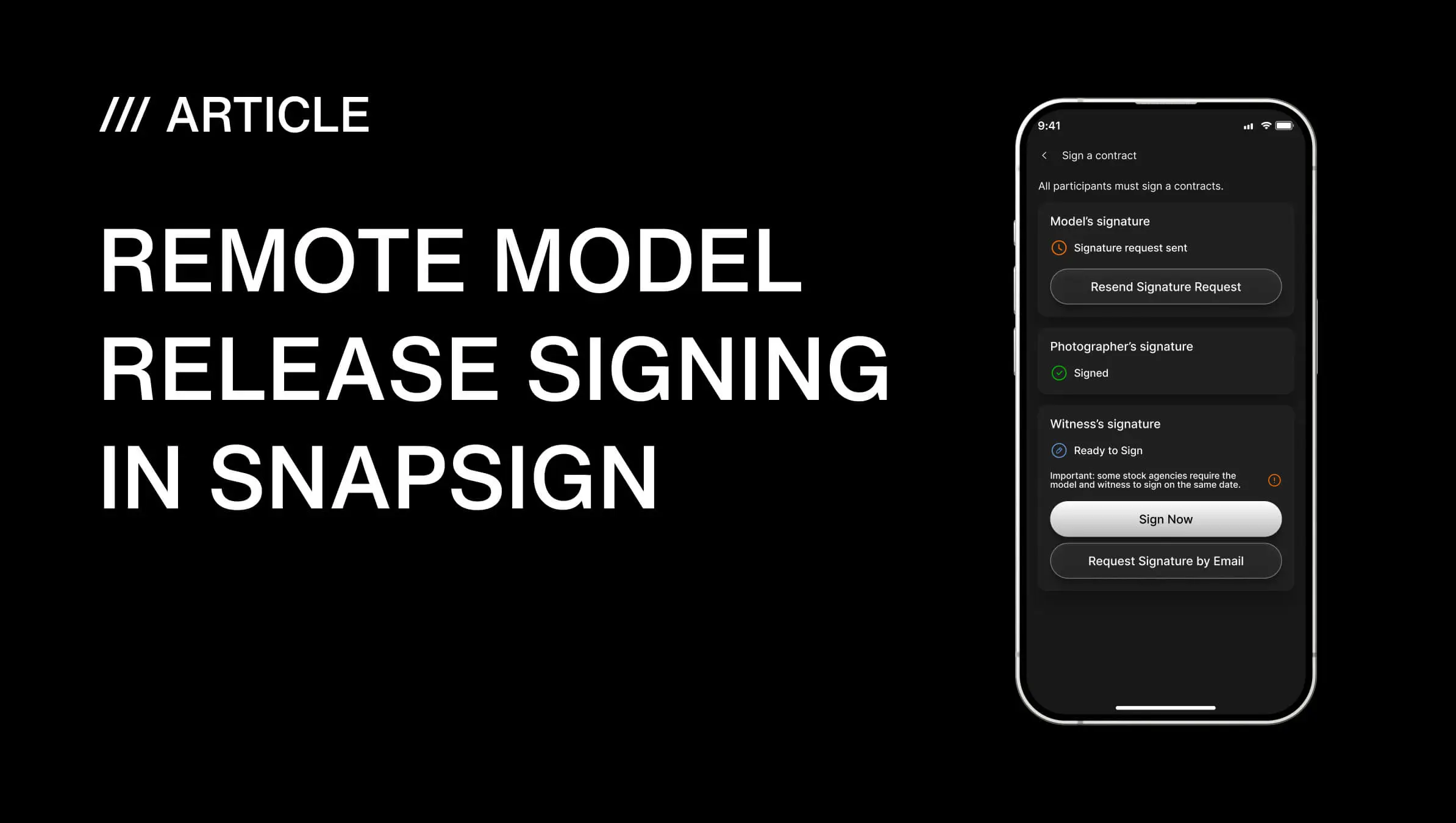
With an online model release, you send a Signature Request by email. The recipient clicks a secure link, reviews the contract, completes their information, and signs — on any device, without installing an app. The link is tokenized and expires after 48 hours if unsigned. After signing, it stays available for 30 minutes so the signer can view the completed contract.
For photographers asking "how do I make my release form digital," remote signing is the feature that makes the answer obvious — because going digital does not just replicate paper, it unlocks workflows that paper makes impossible.
Reason #8: Group Events Turn Chaos Into a System
Workshops. Casting days. Multi-day productions with rotating crew. These are the shoots where paper releases become genuinely unmanageable — a stack of forms with different names, different dates, different signatures, and no way to track who has signed and who has not.
A proper release management system for professionals should handle multi-participant shoots without turning the organizer into a data-entry clerk — participants should be able to register themselves, and the organizer should see signing progress at a glance.
SnapSign's Group Events are built for exactly this scenario. You create an event, set up rosters for models, creators, or property owners, and share an Invitation Link or QR code. Participants join the event, enter their own information, receive a secure email, and sign their individual contract — without you typing a single name. You see signing progress in real time: who has been invited, who has signed, who is still pending.
For a workshop with twenty attendees, this turns an hour of paperwork into a single QR code posted at check-in. Each participant handles their own release on their own phone. You focus on teaching — or shooting — while the roster fills itself. When every required participant has signed, you finalize the event with your signature as the Event Organizer, and all contracts are locked, archived, and downloadable as a batch.
Reason #9: Model Profiles Eliminate Redundant Data Entry
If you work with the same models across multiple shoots, you are filling out the same information — name, date of birth, address, contact details — on every single release. With paper, every form starts blank. A photography workflow automation tool should eliminate this redundancy: if you have worked with a model before, you should not have to type their details a second time.
SnapSign's Model Profiles do exactly this — they store model details in a searchable library. When you create a new contract, you select a saved profile and the app fills in the model's information automatically. You can save a profile from any existing contract — build your library as you work, without a separate data entry step. Editing or deleting a profile does not affect contracts where that model's details were already used, so your signed releases stay intact.
For photographers who run repeat shoots with the same talent — studio portrait series, brand campaigns with recurring models, fitness photography with the same athletes — Model Profiles are not a convenience feature. They are a time machine. Every saved profile is five minutes of form-filling you never do again.
Reason #10: Shoot Anywhere, Stay Covered Everywhere
SnapSign works offline. Signatures and contract data are queued locally and synced to the cloud when you reconnect. This is not a rare edge case — many of the best shooting locations have terrible reception. If your release workflow depends on Wi-Fi, it will fail at the worst possible moment. If it works offline by default, you never have to think about it.
I have signed model releases on a rocky beach with no cell signal, in a parking garage before a location shoot, and in an airport lounge between connecting flights. Each time, the release was signed, stored, and synced — regardless of whether I had internet access at that exact moment.
This is also why "how to make your release form digital" is not just about converting a PDF and calling it done. A scanned paper form does not work offline. It does not timestamp itself. It does not generate an audit trail. Going digital means adopting a tool built for the reality of production work — unpredictable locations, tight schedules, and no room for administrative failure.
| Capability | Paper Release | Digital Release (SnapSign) |
|---|---|---|
| Signing speed | Minutes — print, fill, sign, scan, file | Seconds — tap, sign, done |
| Works offline | Yes — but no backup until scanned | Yes — syncs automatically when back online |
| Tamper-proof | No — pages can be swapped, altered | Yes — SHA-256 hash + timestamped audit trail |
| Remote signing | No — requires physical presence or scanning | Yes — secure email links, any device |
| Searchable | No — manual filing only | Yes — search by name, date, or project |
| Disaster recovery | None — fire, flood, loss = permanent | Automatic cloud backup from signing moment |
| Multi-participant shoots | Stack of forms, manual tracking | Group Events with roster tracking + QR codes |
| Reusable model data | No — every form starts blank | Model Profiles — fill once, reuse forever |
| Stock platform ready | Depends on format and completeness | Templates meet Getty, Adobe Stock, Shutterstock standards |
| Legal verification | Handwriting analysis, witness testimony | Cryptographic hash + timestamp + device log |
What Every Digital Model Release Should Include
Whether you use SnapSign or another tool, a properly structured digital model release form needs these elements to hold up under scrutiny:
- Model's full legal name and contact information — not a stage name or Instagram handle.
- Photographer/creator name and contact information — the party receiving the usage rights.
- Shoot date and location — ties the release to a specific event.
- Clear description of usage rights — commercial, editorial, portfolio, or all of the above. Vague grants are the most common reason releases get challenged.
- Signature field — digital or ink, but digitally timestamped is stronger.
- Witness signature — required by Getty Images and recommended as best practice for all commercial work.
- Reference photo of the model — stock platforms require it, and it protects you when you need to prove which person signed which release six months later.
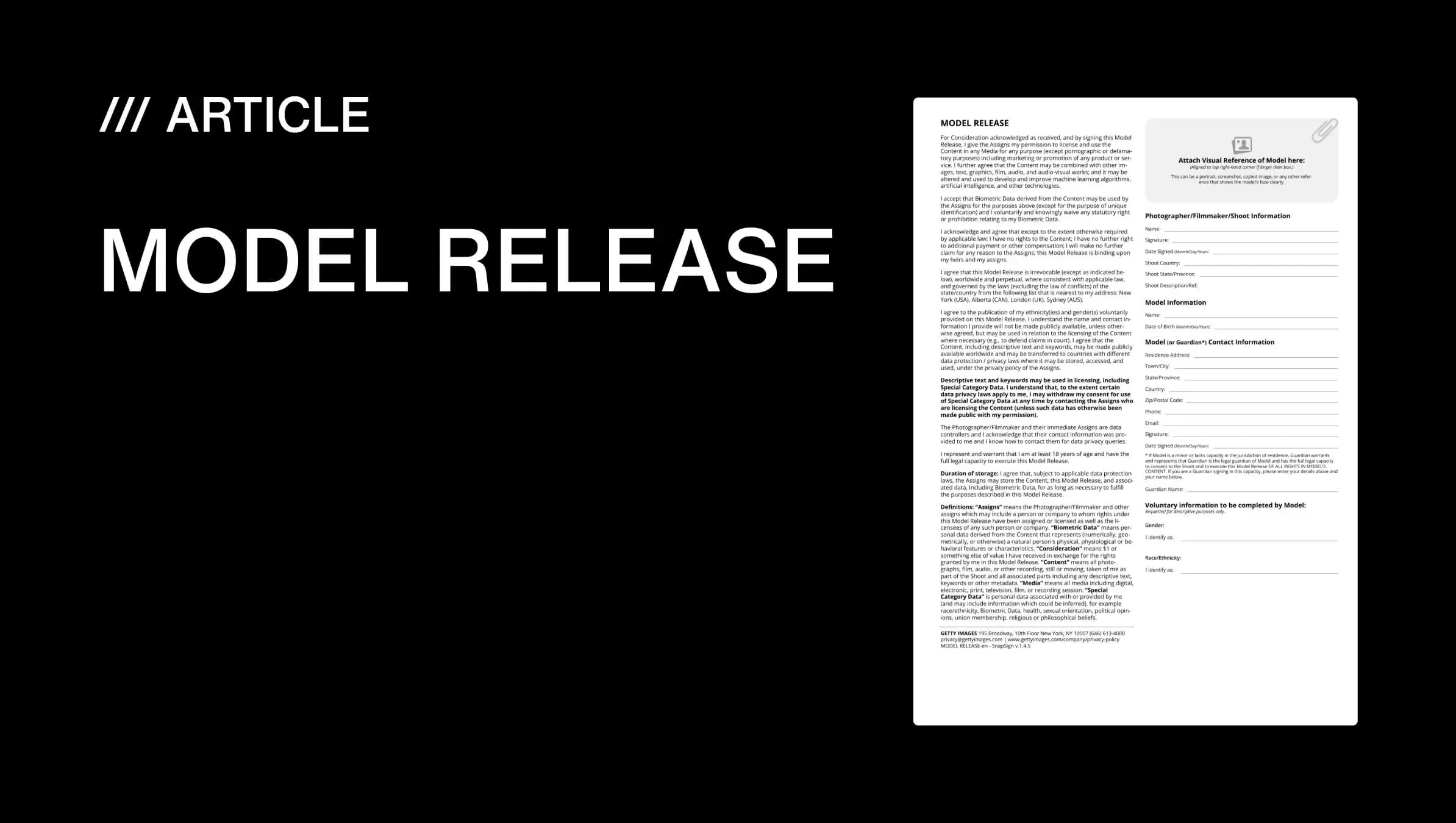
We built SnapSign's Default Templates — including Model Release, Minor Model Release, and Property Release — to include all of these elements by default. For photographers who need platform-specific formats, our templates meet Getty Images' model release requirements and Adobe Stock's release standards. You can also create Custom Templates with your own contract text and branding.
The Real Cost of Staying on Paper
Photographers who delay the switch to digital tend to focus on the wrong cost. They see the price of a subscription and weigh it against the price of paper, which is essentially zero. But the cost of paper is not in the paper — it is in everything that happens after the signature:
- Lost or damaged releases — images you cannot license, publish, or sell.
- Administrative time — printing, organizing, scanning, filing, searching. Multiply by every shoot, every year.
- Legal exposure — a paper release with a missing date, a smudged signature, or no witness contact is ammunition for a dispute.
- Missed opportunities — a stock agency that needs a release today will not wait for you to dig through a filing cabinet.
The question is not whether paper is cheaper. The question is whether the friction, risk, and lost opportunities that paper creates cost more than the tool that eliminates them. For every working photographer I know who has made the switch, the answer landed in the first week of shooting without a clipboard.
How to Get Started With Digital Model Releases
Switching from paper to digital is a single decision, not a migration project. Download SnapSign, choose a model release Template, create your first contract, and hand your phone to the next model you work with. The first signature takes thirty seconds. By the end of your first digital shoot, you will have a folder of signed, timestamped, cryptographically verified releases — and you will not want to go back.
Your Paperless Photography Workflow: A 5-Minute Migration
- Install the app — SnapSign is on iOS and Android. Download, create an account, and you are ready.
- Choose your template — pick from Model Release, Property Release, Minor Model Release, or create a Custom Template with your own contract text and logo.
- Create your first contract — fill in the shoot details, select a model from your contacts or enter their info manually. If the model is not present, send a Signature Request by email instead.
- Collect the signature — hand your phone to the model in person (they sign on-screen), or let them sign remotely from the email link.
- Verify cloud backup — after signing, confirm the contract appears in your list with a timestamp and downloadable Certificate. Done — no scanner, no filing cabinet, no follow-up.
If you manage larger productions, our remote model release signing guide walks through Group Events, Signature Requests, and batch contract management — everything you need when a single paper form is no longer enough.
We built SnapSign for the way photographers actually work: on location, on tight schedules, with talent who need to understand what they are signing. It is available on iOS and Android. The app supports 20 languages. Templates cover model releases, property releases, minor model releases, and 2257 compliance documents. Every signed contract gets a SHA-256 hash, a timestamped Certificate, and automatic cloud backup. Paper cannot compete with that — and once you experience the difference, you will wonder why you waited.