How to delete account
On this page you can find instructions on how to delete your account and associated data in the SnapSign app
- Log in to the application.
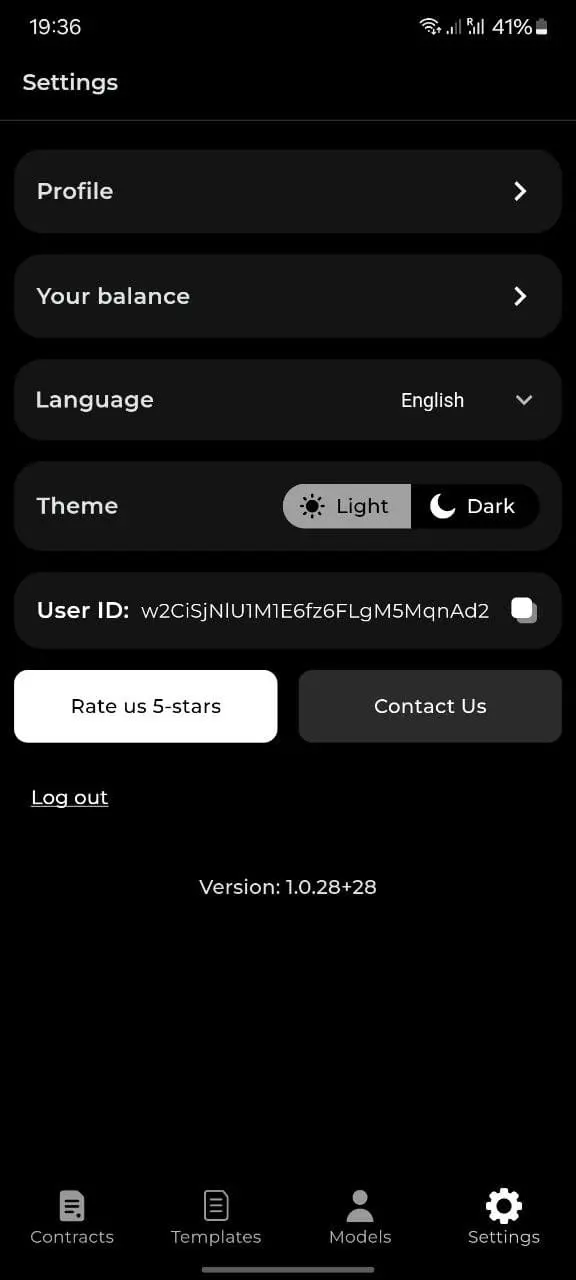
- Open the Settings menu.
- Open the Profile menu.
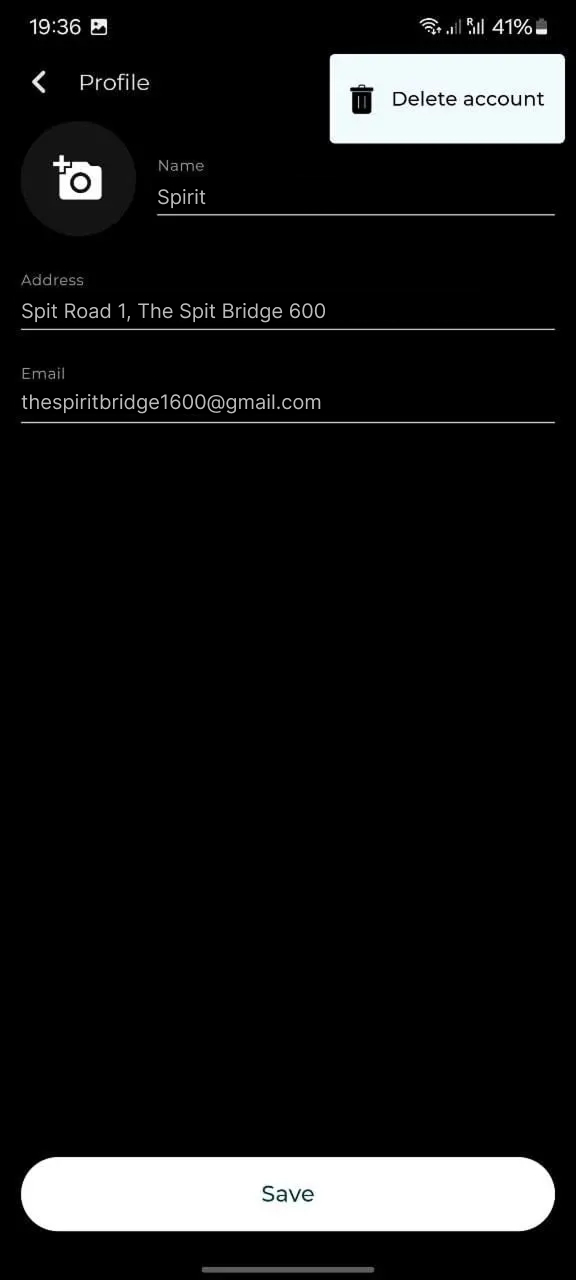
- Tap the kebab menu (three dots) in the top-right corner.
- Tap Delete account.
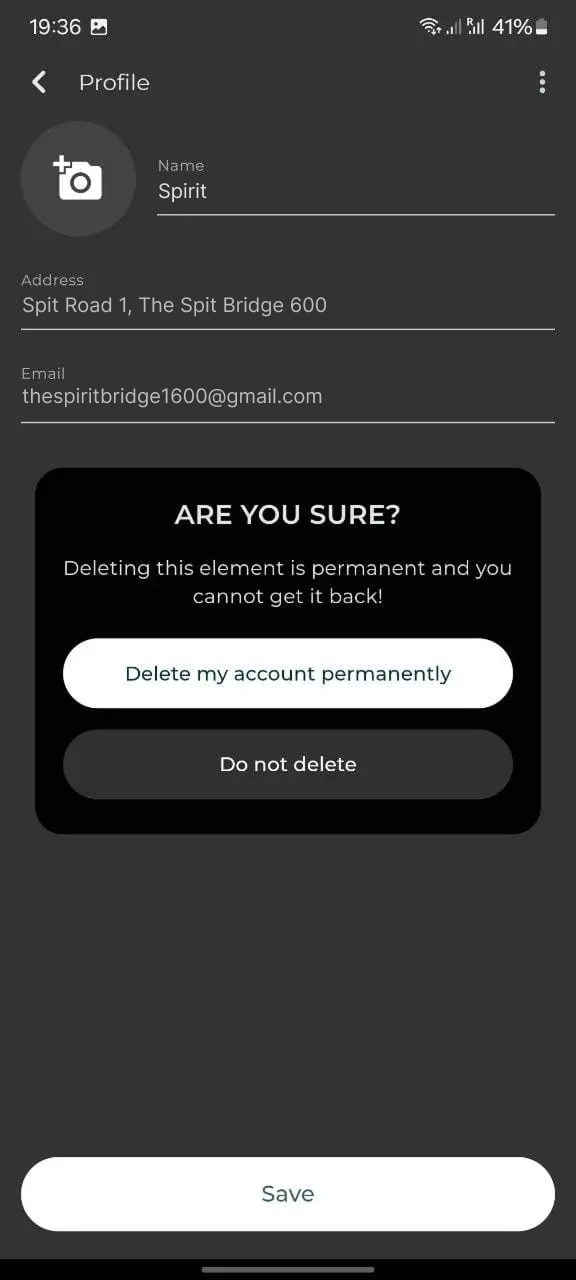
- Confirm with Delete my account to permanently remove your account.
The data will be deleted within 30 days.