Model Release Form for Photographers
A model release form is a legal document that grants a photographer permission to use a person's likeness in images — for stock photography, commercial licensing, editorial work, or client delivery. Without one signed by every recognizable person in your frame, Getty Images, Adobe Stock, and Shutterstock will reject your submission. A commercial client cannot legally use the image. A model who did not understand what they signed can sue — and win.
The form itself is straightforward: names, signatures, a description of the shoot, and a usage grant. What trips photographers up is not the form. It is not knowing when they need one, what fields stock agencies actually check, and how to get a signature from someone who left the set three hours ago. This guide covers all three — from the legal baseline to the practical workflow. You will also find a free model release form PDF at the bottom of this page — built to Getty Images compliance standards, available in multiple languages, and accepted by Adobe Stock, Shutterstock, and all major agencies.
Quick Definition
A model release form is a signed legal agreement that allows a photographer or filmmaker to use a person's likeness for commercial or editorial purposes. It does not transfer copyright - it grants usage permission. Without one, stock agencies will reject your work, and commercial clients cannot legally license your images.
Why Trust This Guide
We built SnapSign after years of collecting paper releases on commercial productions — damp contracts on international shoots, lost paperwork, models who left the set before signing. This guide draws on that experience plus the release standards of Getty Images, Adobe Stock, and Shutterstock, cited directly from their contributor documentation. Everything in the eight-field checklist has been tested against real stock platform rejections — if a field is listed here, it is because someone had a submission rejected for leaving it blank. — Pavel Demidovich, Film Photographer, Filmmaker, Founder of SnapSign
Key Takeaways
- If a person is recognizable, get a release. Faces, tattoos, silhouettes, reflections, distinctive body features — even someone out of focus or turned away. The photographers who get sued are rarely the ones who never heard of model releases. They are the ones who knew and decided this shot did not need one.
- Stock agencies check every field, and name mismatches are the number one reason submissions get rejected. Copy names character by character from a government ID. John A. Smith ≠ John Smith. A blank address field is an automatic rejection on Adobe Stock. Build your release to Getty's standards once — it passes everywhere.
- Digital releases are the safer default. Timestamped audit trails prove who signed and when. Paper proves nothing. For stock submissions, commercial licensing, or any situation where you might need to prove a release is real years later, digital wins. Paper only makes sense when there is no connectivity — a remote mountain, a boat at sea.
When You Need a Model Release
If a person in your photo is recognizable, you need written consent. Stock agencies and courts define "recognizable" broadly, and the list has only grown as platforms tighten enforcement:
- Face. The obvious one. Partial face counts. Profile, three-quarter, even a person turned away if their identity is inferable from context.
- Body. Tattoos, scars, birthmarks, distinctive body shape - anything that could identify the person to someone who knows them.
- Silhouette and shadow. A recognizable outline against a window. A distinctive shadow across a wall. Both have triggered rejections on Adobe Stock.
- Reflections. A person visible in a mirror, window, or polished surface in the background of your shot. You may not have noticed them. The reviewer will.
- Hands and gestures. A model's hands holding a product in a commercial shot. A distinctive gesture associated with a specific performer.
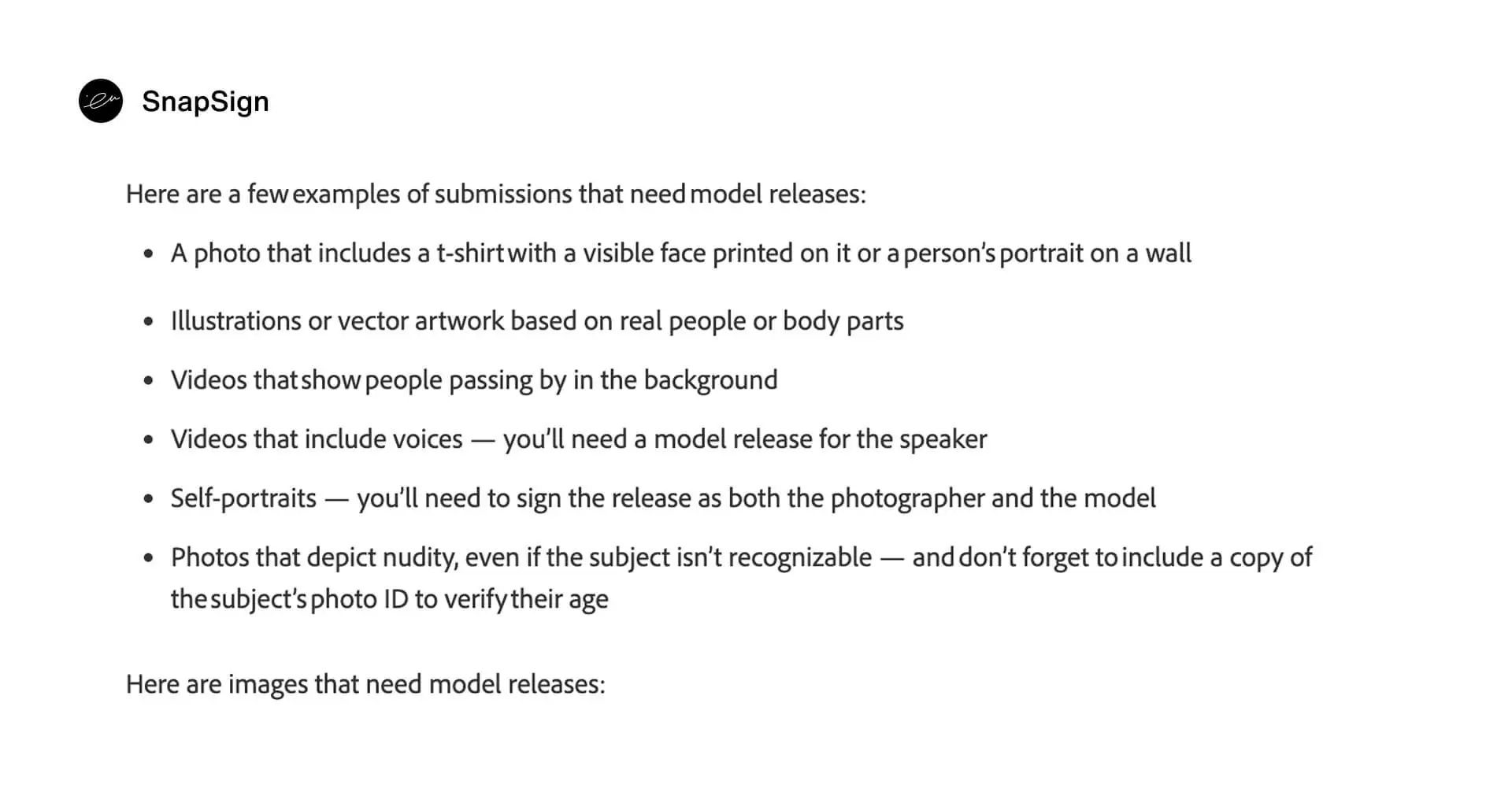
Source: Adobe Stock

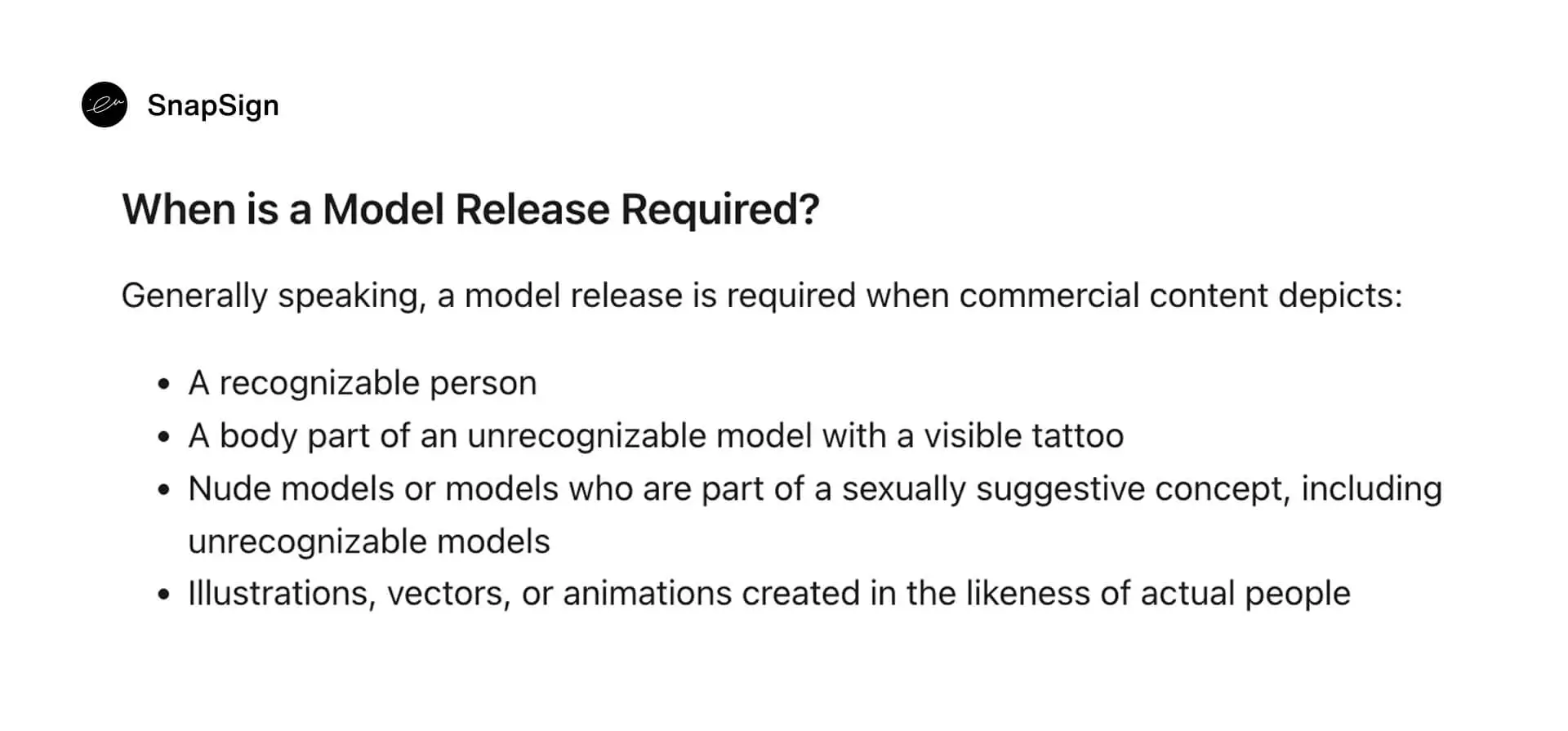
Source: Shutterstock
In practice, if your photo shows a human presence - a face, a gesture, a mark of identity - protect yourself and your subject. The photographers who get sued are rarely the ones who never heard of model releases. They are the ones who knew and decided this particular shot did not need one.
What a Model Release Form Must Contain
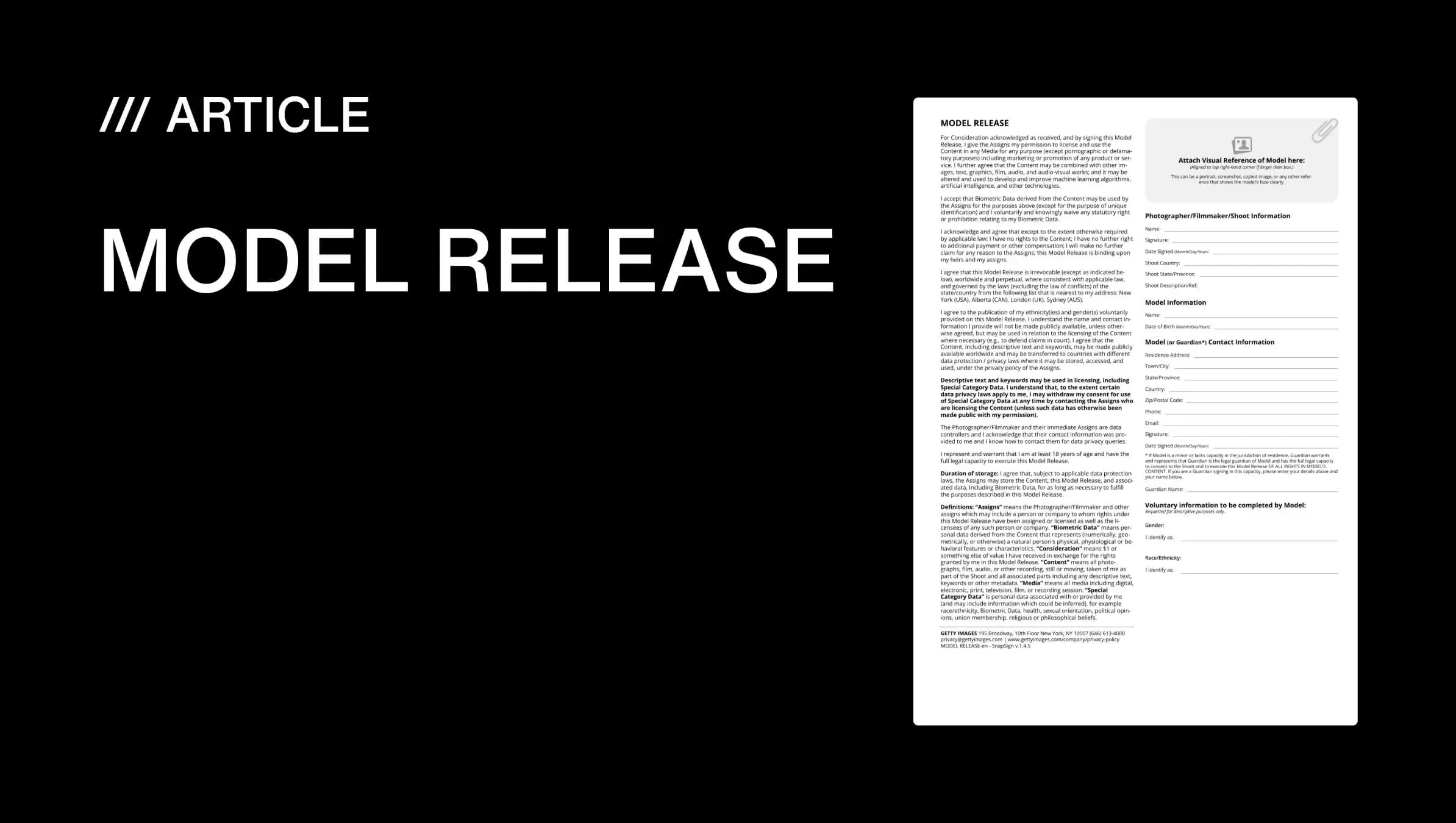
Not every template covers what stock agencies actually check. Here are the eight fields every model release form needs - and what reviewers look for in each one:
| Field | What to enter | What reviewers check |
|---|---|---|
| Photographer name | Your full legal name - exactly as it appears on your stock contributor account | Must match your Adobe Stock / Shutterstock / Getty contributor name exactly. Business names and studio names trigger rejections unless they match your registered account. |
| Model name | Model's full legal name as shown on their government-issued photo ID, including middle names | Name mismatches are the number one rejection reason across all platforms. Copy the name from the ID character by character. John A. Smith ≠ John Smith. |
| Model contact information | Physical address and email at minimum; phone number recommended | Adobe Stock and Getty Images reject releases with incomplete contact fields. A blank address field is an automatic rejection on Adobe Stock. |
| Model photo | A clear, recent photo of the model's face - a separate portrait, not the ID photo | Reviewers match the model photo on the release against the uploaded images. Using the ID photo as the model photo gets rejected - the reviewer needs to see the person, not their document. |
| Shoot description | Date and brief description of the shoot - enough to connect the release to the uploaded images | Vague descriptions ("photo shoot") fail audits. Write "Portrait session, Central Park, Spring" - specific enough that a reviewer can connect the release to the submission six months later. |
| Usage grant | Explicit permission for commercial use, editorial use, or both. Do not write "any use" - it can be challenged in court as overly broad. | The most legally significant field on the form. A narrow grant protects the model. A broad grant protects the photographer. Get the wording right - or have a lawyer review it. |
| Signatures | Model signature, photographer signature, and a witness signature where required. Each must be dated on the day of signing. | Getty Images frequently requires a witness. Adobe Stock flags releases with missing witness fields. A release dated months before or after the shoot draws scrutiny. |
| Date | Exact date of signing - which should match or closely follow the shoot date | Adobe Stock flags releases older than 5 years for manual review. A release signed months before the images it covers will be rejected. |
Build your release to the strictest platform you submit to. A form that passes Getty Images review - manual verification, ID matching, witness required - passes everywhere. A form built for Shutterstock's baseline may fail on Getty the first time a reviewer checks the witness section. One clean release beats three platform-specific ones.
Structuring a Model Release Form So People Actually Read It
The best release in the world is worthless if the model scrolls past it without reading. Structure matters as much as content.
Plain Language Over Legalese
Write the release in 12-point type with short paragraphs and bullet points for the key terms. A model release form that reads like a credit card agreement trains people to sign without reading - which is exactly the habit that leads to disputes later. Use concrete examples in the usage grant: "Your image may appear on Instagram, in the brand's online store, and in print catalogs" instead of "all media now known or hereafter devised."
This is not about dumbing down the legal content. It is about making the release readable enough that a model can give genuine informed consent - which makes the document stronger in court, not weaker.
| Good Release Design | Bad Release Design |
|---|---|
| Plain English the model can read and understand | Dense legal jargon - "all media now known or hereafter devised" |
| Checkboxes for each usage type: portfolio, social, editorial, commercial, stock | Single checkbox - "all purposes" - with no breakdown |
| Full legal names copied from government ID, character by character | Nicknames, missing middle names, "Kate" instead of "Katherine" |
| 12pt font, short paragraphs, bullet-pointed key terms | Wall of 8pt text, no headings, no visual breaks |
| Filed in searchable cloud storage by model name and date, immediately | Buried in an email thread, lost phone = lost release |
Checkboxes for Usage Types
Instead of a single "all purposes" checkbox, break the usage grant into specific options the model can review individually: portfolio and self-promotion, social media, editorial publication, commercial advertising, stock photography licensing. When a model checks each box, they are acknowledging each use case separately. If a dispute arises later, you can point to a specific checkbox the model marked - rather than a vague blanket grant they claim they never understood.
How to Make a Model Release Form
You have three options. Each works - but the risk you take on is different. Choose based on how often you shoot and where your images end up.
Option 1: Download a free template
Free model release form PDFs - including the multilingual templates at the bottom of this page - are the fastest path for occasional shoots. Download, print, sign, done. The catch: a generic template may lack stock-platform-specific fields, witness signature slots, or a model photo attachment. Before you hand a downloaded PDF to a model, check it against the eight-field table above. If any field is missing, the release may fail on Getty Images or Adobe Stock.
Option 2: Write your own
Writing a model release from scratch gives you full control over the usage grant and jurisdiction clauses - but it also puts full legal responsibility on you. Use this option only when you have a specific client contract requirement that no template covers, and only after a lawyer has reviewed the form. The eight fields in the table above are the minimum. The wording of the usage grant is where custom releases most often fail - "any and all uses in any medium now known or hereafter devised" may feel comprehensive but can be challenged as unconscionably broad.
Option 3: Use a digital model release app
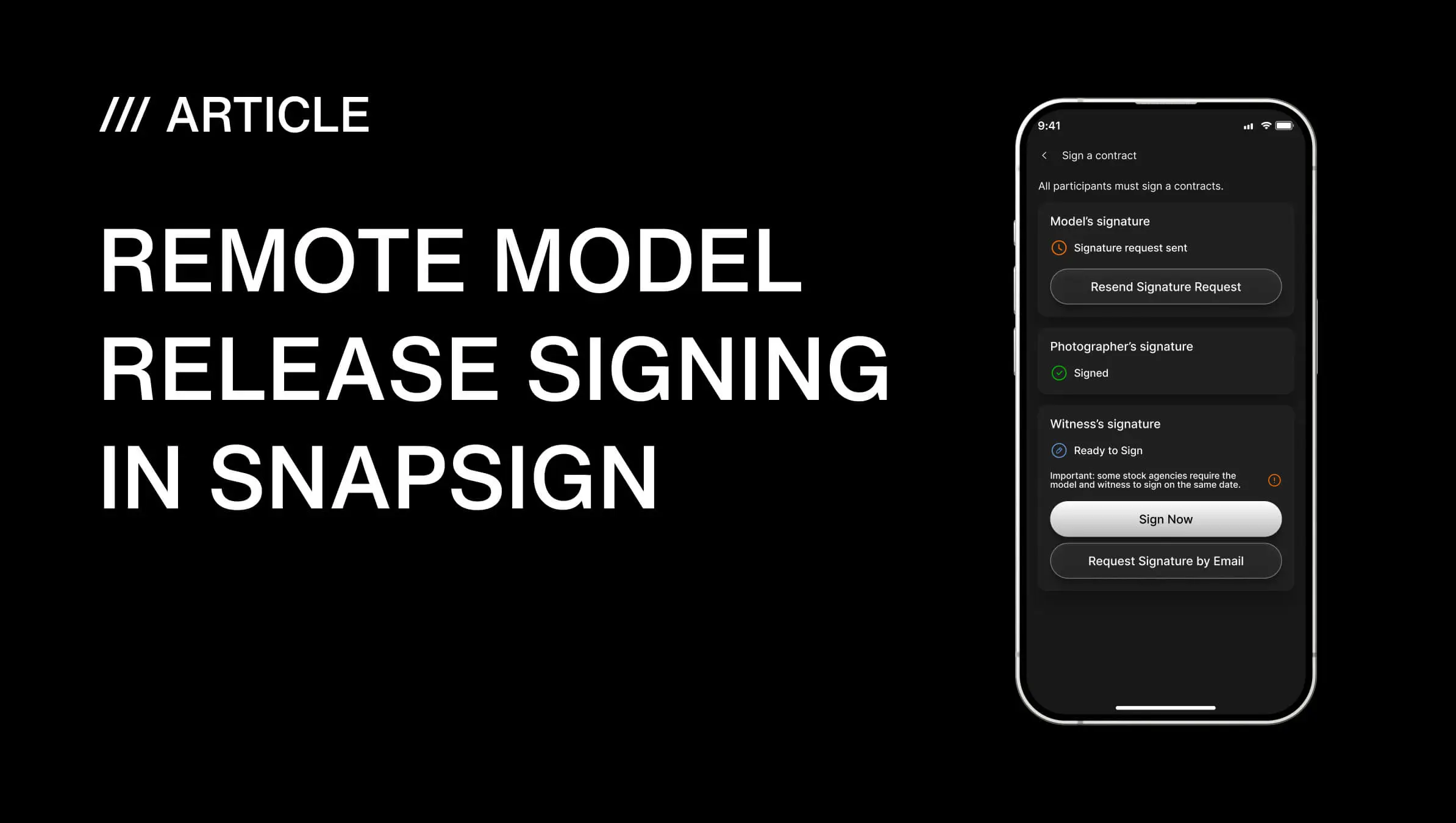
We built SnapSign to handle the template, the signing, and the storage in one workflow. Open the app on your phone, pick a Template - Model Release, Property Release, Minor Model, 2257 compliance form, Getty Images release, or a Custom Template - fill in the shoot details, and send. The recipient signs through an email link in any browser. No app install required on their side. Every signed Contract generates a PDF you can verify on our website to confirm it has not been modified. You can download a Certificate - an audit trail file - for any signed Contract.
The reason photographers piece together four-tool workflows — Google Forms for data, DocuSign for signatures, Google Drive for storage, and a PDF editor for formatting — is that no single generic tool handles all of it. One photographer on r/photography described stitching together Google Forms, an automation tool called Portant, DocuSign, and Google Drive — four separate services — just to get one release signed and filed. Another pays $720 a year for Dropbox and still needs a separate e-sign add-on. A dedicated digital release app replaces the entire chain. See how SnapSign compares to Easy Release for in-person and remote workflows, or read our guide to remote model release signing for the step-by-step remote flow.
Who Is Responsible for Getting the Release Signed
The photographer. Always. Not the model, not the client, not the agency. It is your job to bring the release to the shoot, walk the model through what it means in plain language before asking for a signature, and store the signed document somewhere you can still find it years later.
Do not hand someone a form and say "sign here." Explain what it allows and what it does not - two sentences is usually enough: "This lets me use the photos commercially - stock sites, portfolio, client work. It does not let me use them in a way that misrepresents you." A model who understands what they signed is less likely to dispute it later, and more likely to work with you again.
Digital vs Paper Model Releases
Paper releases have one advantage: they work without electricity. For everything else - durability, verifiability, searchability, remote signing - digital releases win by a margin that grows every year:
| Capability | Paper release | Digital release |
|---|---|---|
| Survives a lost phone | Yes, if stored separately | Yes - cloud sync means your phone is not the only copy |
| Survives fire, flood, or move | No | Yes |
| Remote signing | No - both parties must be physically present | Yes - secure tokenized link, browser-based signing, no app required for the model |
| Audit trail | No - a photo of a signed paper proves nothing about when it was signed | Yes - timestamped signing flow with signer identity and audit trail |
| Integrity verification | No - paper can be altered without detection | Yes - built-in verification lets you confirm the PDF has not been modified since creation |
| Full-text search | No - you flip through a filing cabinet | Yes - type a name or keyword and find the release in seconds |
| Stock platform acceptance | Yes, if scanned clearly | Yes - Getty Images, Adobe Stock, and Shutterstock all accept digital releases |
Paper makes sense for the photographer shooting in a location with no mobile data and no wifi - a remote mountain, a boat at sea, a country where connectivity is unreliable. For everyone else, digital is the safer default. The American Society of Media Photographers (ASMP) recommends photographers keep digital copies of every release with clear audit trails - a standard that paper, by definition, cannot meet.
Model Release Questions Photographers Actually Ask
Search for "model release form" on any photography forum and you will find the same questions - asked by beginners and working professionals alike. Here are the ones that come up most often, with answers grounded in real-world practice.
Is it awkward to ask friends to sign a model release?
Yes - the first time. Then it becomes routine. A photographer on r/photography described investing six hours editing portraits of a coworker who, when asked for permission to post, replied: "I don't like my arms." No release meant no leverage - the time was lost. The lesson is not that friends are unreliable. It is that a release form turns an awkward conversation into a clear agreement before either side has invested anything they cannot get back. The form is not a sign of distrust - it is a professional boundary. Frame it that way: "This is just standard paperwork - it lets me use the images in my portfolio and protects both of us if something changes down the road." Most people sign without a second thought. The ones who hesitate are the ones you are glad you asked.
Do I need a model release for TFP shoots?
Yes. TFP - time for prints, or trade for photos - is still a commercial arrangement even though no money changes hands. Both sides are receiving something of value: the model gets portfolio images, and the photographer gets images to use. Without a release, neither side has clear rights. A model who signed a release cannot later demand you take down images from your website. A photographer who obtained a release can license the images to a stock agency if the opportunity arises. TFP without a release is not a collaboration - it is a legal grey zone where both parties are one disagreement away from a headache. If you shoot TFP regularly, build a release into your pre-shoot routine: send it before the session, get it signed before anyone steps in front of the camera.
What if a model changes their mind after signing?
A signed model release is a binding contract. In most cases, the model cannot revoke it - the permission was granted at the time of signing, and that grant is permanent unless the release itself includes a revocation clause. This is why the usage grant on the form matters: a well-drafted release grants perpetual rights to use the images for the purposes described in the form. A poorly drafted one - or one that limits usage to a specific campaign, platform, or time period - expires when those limits are reached.
That said, a signed release does not make a photographer immune to conflict. A model who signed a release can still sue - anyone can sue for anything. The release is your defense, not your force field. On r/photography, one photographer described a 19-year-old model who signed a release for a boudoir shoot, then had her grandmother call demanding the images be taken down. The model was of legal age and the release was signed - the photographer was on solid legal ground. But the situation was still a lesson: know who you are working with, communicate clearly about where the images will appear, and do not assume that a signed form means the model will be happy about every use of the images. A release protects your legal right to use the images. Professionalism - clear communication, reasonable use, and good judgment - protects your reputation.
Can a model release be signed after the shoot?
Yes, and this happens constantly. A model leaves the set before signing. A street portrait subject agrees to a release after you have already taken the shot. A client wants to license a photo from last year but no one got a release at the time. The release does not need to be signed before the shutter clicks - it needs to be signed before you use the images commercially. Digital signing makes this practical: you can email a release to someone who left the set three hours ago, and they can sign it on their phone. What you cannot do is submit the images to a stock agency or license them to a client without a signed release on file. If you try, the rejection or the lawsuit will find you.
When You Don't Need a Model Release
Not every photo of a person requires a signed release. Knowing the exceptions saves you from handing paperwork to strangers on the street and lets you shoot freely in situations where consent is not legally required. Here is where the line falls:
- Editorial use. News reporting, documentary work, and educational publications do not require a model release — as long as the image is used to inform, not to sell a product. The same photo of a protest that runs in a newspaper without a release would need one the moment it appears in a bank's ad campaign. Editorial is a narrow lane. Stay in it.
- Fine art prints. Selling a signed, limited-edition print through a gallery is generally considered artistic expression, not commercial use. But the line blurs fast: that same image on a coffee mug or a tote bag is merchandise, and merchandise needs a release.
- Crowd shots where no one is identifiable. A sea of backs at a concert. A blur of motion at a marathon. If no individual can be singled out — by face, tattoo, clothing, or context — no release is needed. But if one person in that crowd is sharp, facing the camera, and recognizable to someone who knows them, the safe call is to get the release.
- Public officials performing duties. A mayor at a press conference. A police officer on duty. Public figures in public roles have limited privacy rights in the U.S. — but this protection does not extend to using their image to endorse a product.
- Personal portfolio (with caution). Displaying images on your website as examples of your work is generally low-risk — most photographers do it without releases. But if a subject objects, you will need to take the image down, and if the image implies endorsement or the subject is a minor, the risk escalates. A release is still the safer default.
When in doubt, ask: is this image going to be used to sell something — a product, a service, or an idea that benefits a commercial entity? If yes, get the release. The cost of a signed form is measured in minutes. The cost of a lawsuit is measured in years.
Model Release vs Photo Release vs Property Release
Photographers deal with three types of releases, and using the wrong one can be as bad as using none. Each covers a different legal right — and stock agencies check which form you submit against what is actually in the frame.
| What it covers | Model Release | Photo Release | Property Release |
|---|---|---|---|
| Who signs | The person in the photo (or their guardian) | The photographer | The property owner |
| Grants permission to | Use the person's likeness commercially | Client to print or reproduce the image | Use images of the property commercially |
| Stock agency requirement | Required for any recognizable person | Not required by stock agencies | Required for private property, interiors, and some exteriors |
| Who keeps the original | Photographer | Client | Photographer |
| Common situation | Portrait shoot, fashion, stock photography | Wedding photos, headshots for the client's own use | Shooting inside a café, hotel, or private venue |
| Does SnapSign support it? | Yes — Model Release, Minor Model, Getty, Adobe Stock templates | Not the primary use case — SnapSign is built for releases where the subject grants rights to the photographer | Yes — Property Release template included |
A single shoot can require two or even all three. A fashion editorial shot inside a boutique hotel: the model signs a Model Release, and the hotel owner signs a Property Release. Skip either one and stock agencies will reject the entire batch — not just the one image where the release was missing.
Mistakes That Undermine a Model Release
Most disputes trace back to one of these avoidable mistakes rather than a fundamentally flawed form:
- Vague usage grants. "All purposes" sounds broad but a court may read it narrowly if the model can argue they never anticipated a specific use.
- Missing or mismatched legal names. A release signed "Kate" when the model's legal name is "Katherine A. Reyes" invites arguments about identity and validity.
- No compensation clause, even for TFP. State clearly that no payment is being made in exchange for usage rights - silence on compensation is often read against the party who drafted the form.
- Assuming verbal consent is enough. A photographer who agreed to unrealistic client demands after only a verbal handshake with no signed release has essentially no leverage if the client disputes usage later - a pattern photographers on r/photography have described after being burned by exactly this.
- No record of minors' guardian consent. A release signed only by a minor, without a parent or guardian co-signature, is not enforceable in most jurisdictions.
- Releases stored only on a phone or in a single email. If the device is lost or the email is deleted, there is no proof the release ever existed.
- No date on the release. Without a date, it becomes difficult to prove the release was signed before or after the shoot, which matters if usage terms are disputed.
When a Shorter Release Form Is Enough
Not every shoot needs the full release with every clause. A shorter form is often appropriate when:
- You are re-shooting a TFP model you have worked with before and the usage terms have not changed.
- You are shooting street portraits with no commercial intent - portfolio and editorial use only.
- You are photographing an event where attendees were notified in advance, by posted signage, that photography would occur.
Even a short form should still capture the model's legal name, the date, and an explicit usage grant. One photographer described on a photography forum thread, upvoted 84 times, using a one-page short form for exactly these lower-risk situations while reserving the full release for commercial and advertising work.
Pre-Shoot Model Release Checklist
Run through this before the shutter clicks:
- Release form printed or loaded on a tablet/phone, ready to sign on location.
- Model's full legal name confirmed against a government ID, not just their preferred name.
- Usage grant checkboxes match what was actually discussed and agreed with the model.
- Compensation terms (paid, TFP, or other) stated explicitly in the release.
- Guardian signature line included and ready if the model is a minor.
- Signed release saved to cloud storage immediately after signing, named with model and date.
- Backup copy - print or a second cloud folder - in case the primary file is lost or corrupted.
Free Model Release Form Templates
Source: Shutterstock
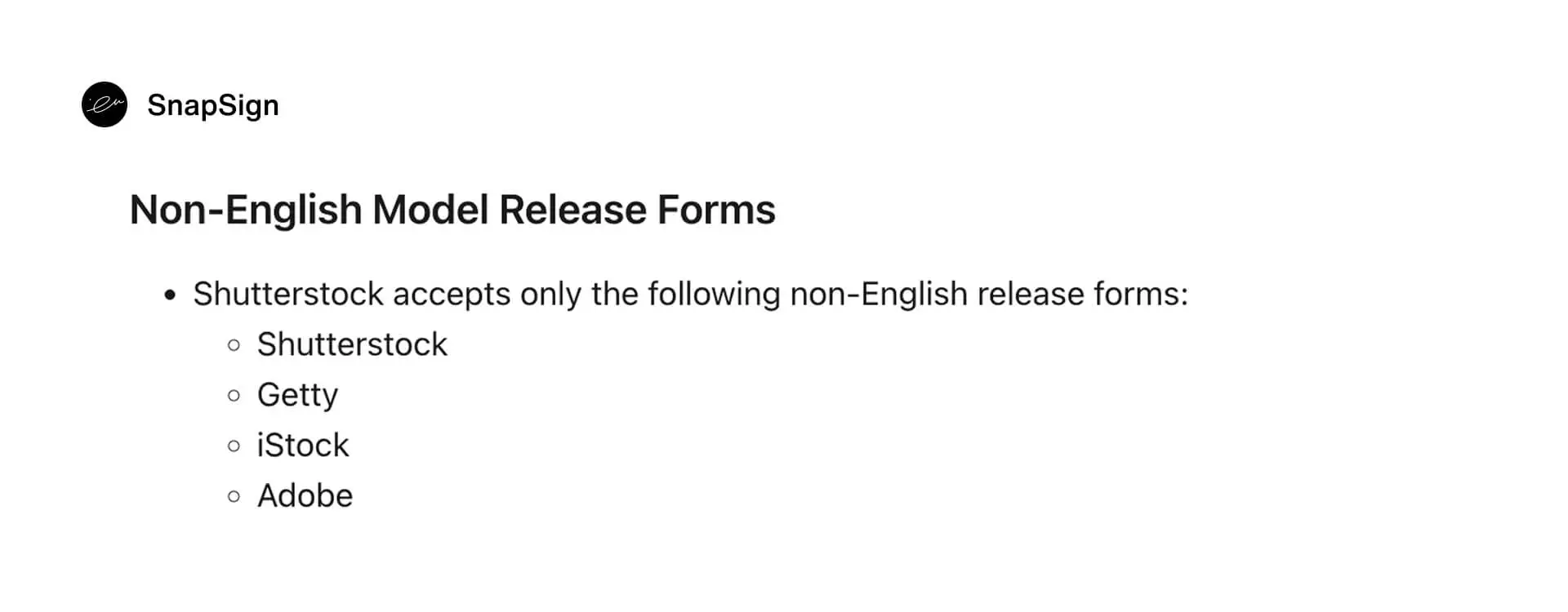
Our free model release form PDFs are built to Getty Images' global compliance standards and widely accepted by major stock agencies. Multilingual versions are available - each download link at the bottom of the page gives you a blank PDF for that locale.
One reliable template, built to the highest common denominator, protects you across Shutterstock, Getty Images, Adobe Stock, and most other platforms. If you submit to multiple agencies, do not maintain separate release formats. Build to Getty-level thoroughness once.
Note: laws vary by country and state. For specific shoots - especially those involving minors, international subjects, or unusual usage scopes - consult qualified legal counsel. The templates below are general-purpose forms, not legal advice.
Final verdict - Model Release Forms
A model release form is not complicated, but it is specific. You need the model's legal name as it appears on their ID, your name as it appears on your stock contributor account, a clear usage grant, and dated signatures. Miss one field on a Getty Images submission and the rejection email lands the same day. The form is the easy part - the hard part is knowing when you need one and getting it signed before everyone leaves the set. Use a template built for the strictest platform you submit to, get it signed digitally if you can, and store it somewhere it survives a lost phone. The paperwork that keeps you out of court is not the paperwork you should be improvising.
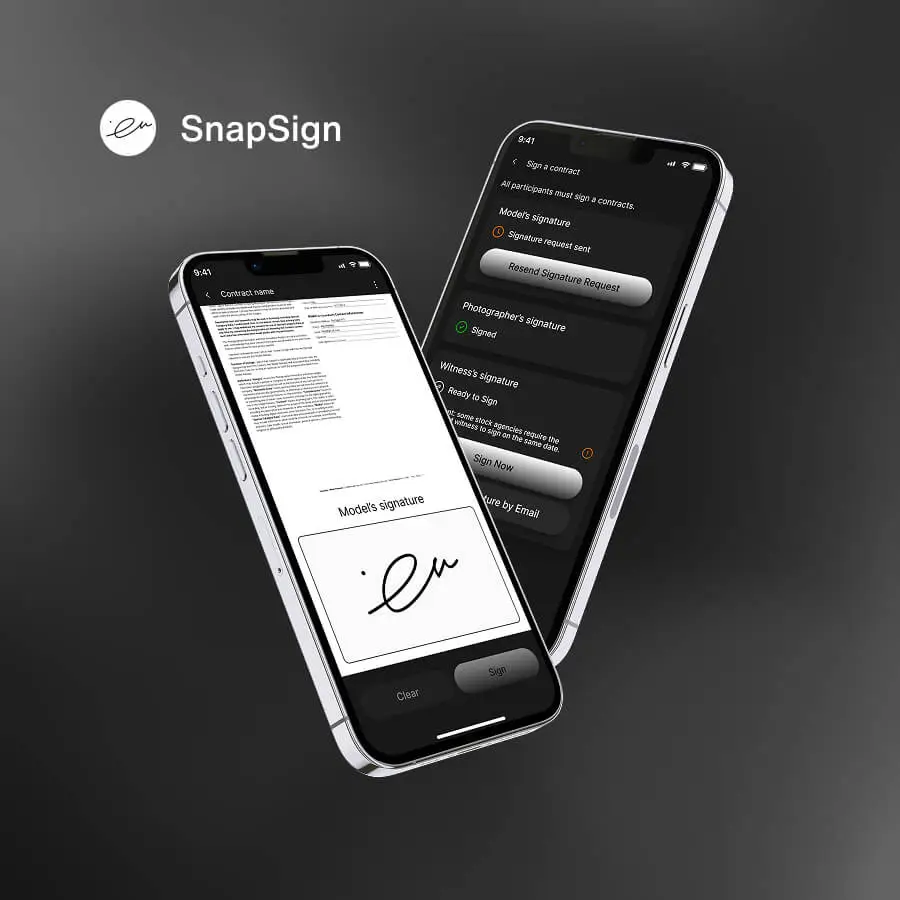
Ready to get started? Download a free template below - each PDF is built to Getty Images compliance standards and available in multiple languages. Prefer a digital workflow? Open SnapSign on your phone, pick a template, and send your first release in under two minutes.
Download SnapSign enhanced model releases (PDF)
Choose a language below. Each link downloads the SnapSign enhanced model release for that locale.
- Enhanced Model Release - English
- Enhanced Model Release - Spanish
- Enhanced Model Release - French
- Enhanced Model Release - German
- Enhanced Model Release - Italian
- Enhanced Model Release - Portuguese
- Enhanced Model Release - Portuguese (Brazil)
- Enhanced Model Release - Russian
- Enhanced Model Release - Polish
- Enhanced Model Release - Ukrainian
- Enhanced Model Release - Danish
- Enhanced Model Release - Swedish
- Enhanced Model Release - Norwegian
- Enhanced Model Release - Finnish
- Enhanced Model Release - Japanese
- Enhanced Model Release - Chinese (Simplified)
- Enhanced Model Release - Chinese (Traditional)
- Enhanced Model Release - Korean
- Enhanced Model Release - Turkish