Quick answer: Shutterstock model release requirements
A Shutterstock model release is a legal document — recognized under right of publicity law — that grants a contributor permission to license a person's likeness for commercial stock photography. Shutterstock's own contributor checklist requires just one handwritten signature: the model's for an adult or mature-content release, or a parent/guardian's for a minor. The photographer only needs to provide their name — there's no photographer signature and no witness field on Shutterstock's form. The release is submitted as a single JPEG file per person (not PDF — that's the most common format mistake new contributors make), max 20 MB. Signatures must be handwritten — physically with ink, or digitally with a stylus or finger on a touchscreen; a typed name does not qualify. The form must include the model's full name, date of birth in Gregorian calendar format, contact information, and a dated signature — all legible and complete. Mononymous models and mature-content submissions additionally require a government-issued photo ID.
That's a shorter signature requirement than Getty's process, though Shutterstock is stricter about file format than either Getty or Adobe Stock. A single missing field, a typed signature, or a PDF upload will trigger a rejection faster than most contributors expect. Whether you are figuring out how to become a Shutterstock contributor for the first time or you have been submitting for years and want to reduce your rejection rate, understanding these requirements is the difference between images that sell and images that sit in pending review. In this guide, I will walk through exactly what Shutterstock's checklist requires on a model release, when you need one and when you do not, the most common rejection triggers, and how to build a submission workflow that gets images approved on the first try.
Platform requirements last verified against Shutterstock's official Contributor Help Center on July 27, 2026. Shutterstock can update its checklists, accepted forms, and upload rules at any time — always confirm current requirements in the Contributor Help Center before submitting.
Why Shutterstock enforces model releases
Model releases are not arbitrary paperwork — they are the legal backbone of commercial stock photography. When a brand licenses your image from Shutterstock for an advertising campaign, that brand is betting its reputation on the assumption that everyone in the photo agreed to be there. If that assumption breaks, the legal chain reaction is fast and expensive.
Consider what happens without a release: you upload a lifestyle photo of a woman laughing at a café. A skincare company licenses it for a national ad campaign. Six months later, she sees her face on billboards and sues for misappropriation of likeness. Without a signed release, the contributor, Shutterstock, and the buyer are all exposed to liability, statutory damages, and legal fees. With a properly signed release, everyone is protected — the document defines expectations before money changes hands.
This is not theoretical. On r/stockphotography, contributors regularly describe confusion over when releases are required and how to submit them correctly. The confusion itself is a liability — Shutterstock's moderation system does not care whether you misunderstood the rules. It cares whether the JPEG is complete, legible, and correctly formatted. Bypass the rules to save time, and you are not protecting yourself — you are creating exposure for the buyer, Shutterstock, and yourself.
How Shutterstock compares to other stock platforms
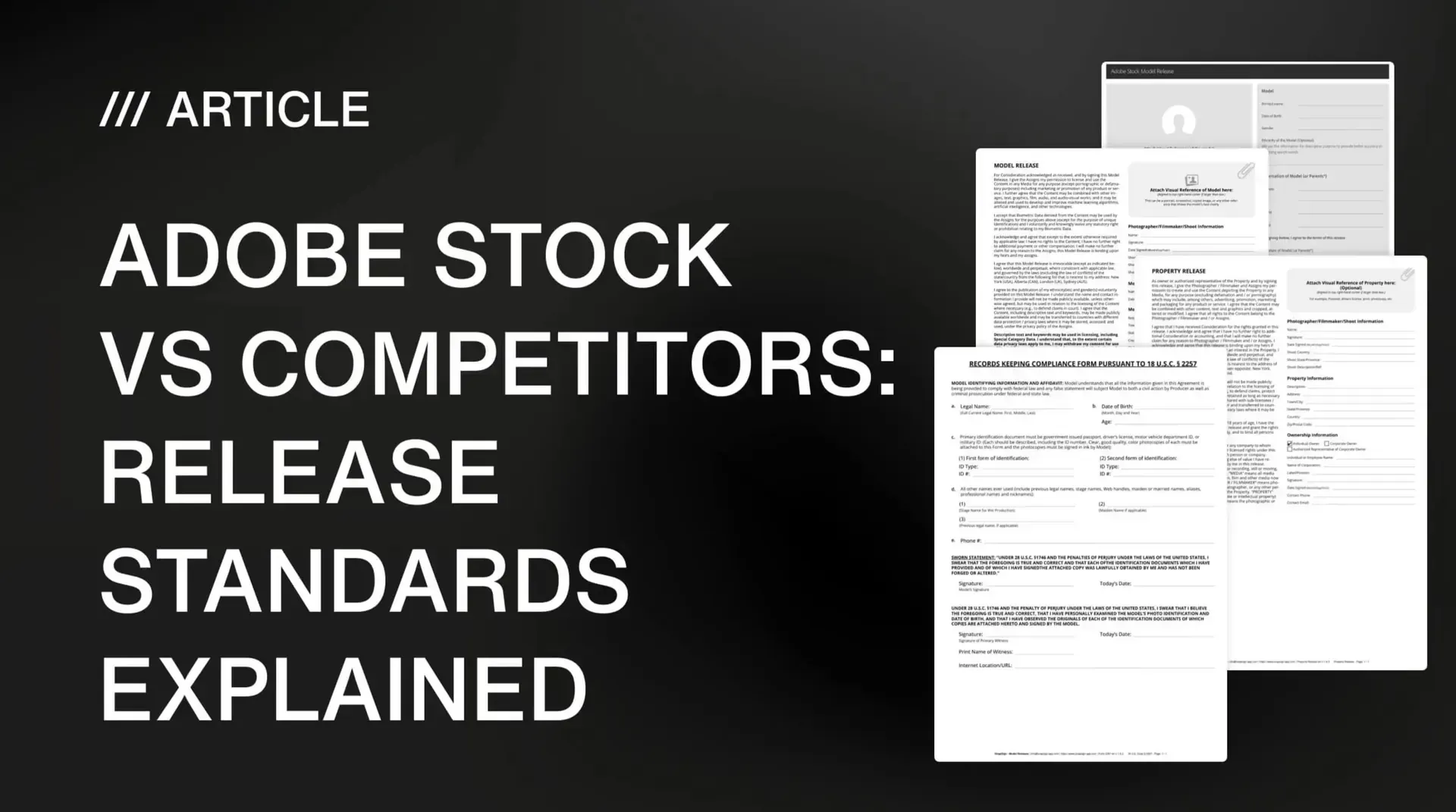
Each major stock platform enforces model releases differently. Understanding these differences helps contributors build releases that clear all three platforms with a single signed document — or at minimum, know exactly what each platform will flag.
| Requirement | Shutterstock | Adobe Stock | Getty Images |
|---|---|---|---|
| Required signatures | Model (or guardian for minors) — photographer provides name only | Model + Photographer | Model + Photographer + Witness |
| Witness field on the form | No — not part of Shutterstock's checklist | Recommended, not required | Yes — mandatory |
| Submission format | JPEG only, max 20 MB | JPEG or PDF | JPEG or PDF |
| Digital signatures accepted | Yes — handwritten via stylus/touchscreen; typed names don't qualify | Yes | Yes |
| ID verification for mature content | Government-issued photo ID required for mononymous models and mature content | Government-issued ID required | May contact model directly to verify consent |
| Non-English forms accepted | Only Shutterstock, Getty, iStock, Adobe, or Easy Release forms (contact fields must use Latin script) | English, French, German, or Japanese | English preferred |
The takeaway: Shutterstock asks for the fewest signatures of the three platforms — just the model's, or a guardian's for a minor — but it's the strictest about format, with JPEG-only submissions that trip up contributors coming from PDF-based workflows on other platforms. For a deeper breakdown, read our full stock platform release comparison.
When you need a model release on Shutterstock
The rule is simple: if a person is recognizable in an image submitted for commercial licensing, you need a signed model release. What counts as "recognizable" is broader than most contributors assume — and Shutterstock's Content Publishing Standards spell out edge cases most beginners miss.
Recognizable faces, body features, and tattoos
Shutterstock's official list of when a commercial submission needs a model release covers: a recognizable person; a body part of an unrecognizable model with a visible tattoo; nude models or models in a sexually suggestive concept, even if unrecognizable; and illustrations, vectors, or animations created in the likeness of an actual person. A face is not the only identifier — tattoos, scars, distinctive body features, clothing, or context can combine to make someone recognizable even without a clear face. If the image shows a visible tattoo, Shutterstock's standards also list tattoos under property releases — so a commercial submission with a recognizable tattoo may need both a model release for the person and a property release for the tattoo artwork itself.
Self-portraits — yes, you need a release
Photographing yourself does not exempt you from the release requirement. Shutterstock's checklist requires a completed release form even for self-portraits: you fill in your own information in both the model section — including your signature — and the photographer section. This catches first-time contributors off guard — they assume being in front of and behind the camera eliminates the paperwork. It does not.
Group photos and crowd scenes
Wide crowd shots where no individual is recognizable typically do not need releases for everyone present. The determining factor is recognizability, not a technical camera setting — composition, resolution, focus, and identifying features all affect whether a specific person can be identified in the frame. A wide festival crowd shot where faces blur into the scene will usually pass; an image where the composition isolates one or two identifiable people generally will not.
Reflections, mirrors, and incidental presence
A person reflected in a shop window, a mirror in the background, or a passerby visible in a reflection counts as recognizable. If the reflection is clear enough to identify the person, Shutterstock treats it the same as a direct photograph. The same applies to hands holding a product — if a distinctive ring, tattoo, or scar makes the hand identifiable, a release may be required even without a face in frame.
What Shutterstock requires on a model release form
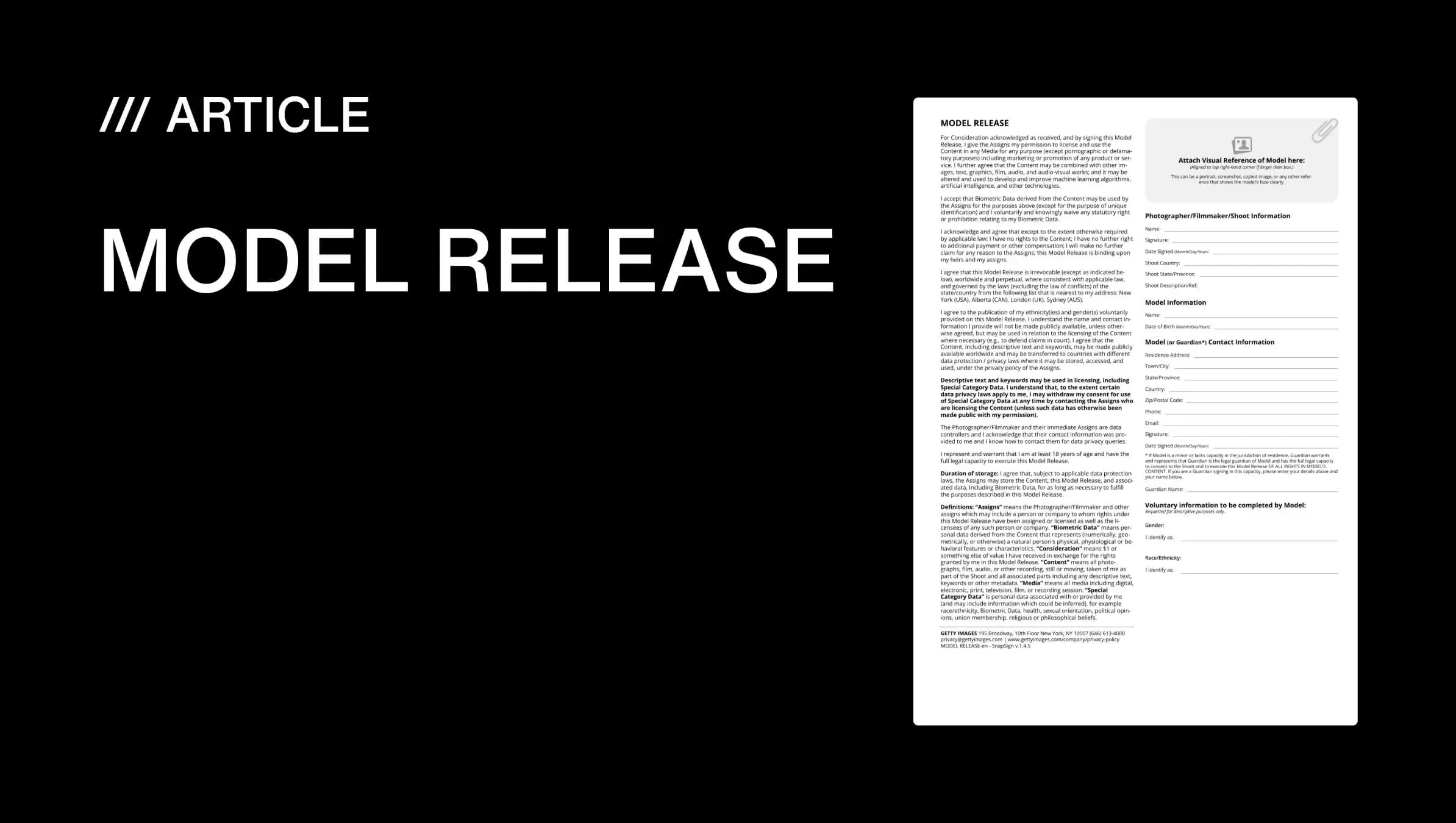
A Shutterstock model release form is not a suggestion — every field exists because missing information has caused legal disputes. The full requirements are documented in Shutterstock's contributor FAQ. Shutterstock's Legal Center also provides downloadable release forms — reviewing one before your first submission helps you understand exactly what a passing release looks like. Here is what each section must include.
Photographer / contributor information
- First name and surname, and/or business name
That's the full extent of what Shutterstock's checklist requires from the photographer — no signature, address, or contact details are part of the official form fields.
Model information
- First name and surname of the model
- Mailing address or email address
- Date of birth — Gregorian calendar only; Shutterstock recommends spelling out the full date including the month name (e.g., March 15, 2026)
- Signature — handwritten with ink, or digitally with a stylus or finger on a touchscreen; typed names are not accepted
- Signature date
This is the one signature Shutterstock's checklist actually requires. Use the model's consistent legal name throughout — for mononymous models and mature-content submissions, Shutterstock also requires a government-issued photo ID (see below).
Special cases: mononymous models and mature content
Shutterstock's checklist treats these as two separate requirements. Mononymous models — people known by one name only — must attach a government-issued ID confirming they have only one name; without it, the release is not accepted. Mature-content releases (nude or sexually suggestive content) require the model's government-issued photo ID showing they are over 18, with the entire ID visible and legible, regardless of whether the model is mononymous.
Shoot date, as a workflow note
Shutterstock's checklist does not list a shoot description as a required field. As a workflow practice, if you reuse one release across multiple photos from the same shoot, Shutterstock's own guidance is clear that the dates on the release must match the photo dates — using a release from an unrelated session is not accepted. Keeping shoots organized by date and model name (a SnapSign default) makes this easy to verify later.
No witness field on Shutterstock's checklist
Unlike Getty Images, Shutterstock's official model release checklist does not include a witness section at all — for adult, minor, or mature-content releases. Some contributors add one anyway for extra documentation, but it is not part of what Shutterstock's form requires or reviews.
Shutterstock minor model releases
Photographing anyone under 18 adds a layer of legal complexity. Shutterstock requires a parent or legal guardian to sign the release on the minor's behalf. The form must include:
- The guardian's full legal name
- The guardian's relationship to the child
- The child's full legal name
- Dated signatures from the guardian — handwritten or touchscreen only
Shutterstock's moderation is especially strict about minors. Blank guardian fields or unclear relationships trigger immediate rejection — there is no gray area. If you regularly photograph child models, read our guide on minor model releases for photographers for a complete breakdown of legal requirements across jurisdictions.
JPEG submission rules and common format mistakes
This is where most PDF-accustomed contributors stumble — and it is one of the first things you need to get right when learning how to submit photos to Shutterstock. The platform requires model releases as JPEG files — not PDF, not PNG, not multi-page documents. Every release must be a single JPEG file, max 20 MB. If a release spans multiple pages for one person, those pages must be combined into a single JPEG before upload. Shutterstock also rejects altered releases outright — crossed-out corrections, white-out, or copy-and-pasted information all trigger rejection, even if the rest of the form is otherwise complete.
Non-English release forms follow a specific rule: only official forms from Shutterstock, Getty Images, iStock, Adobe Stock, or Easy Release are accepted in languages other than English — a self-made form or a regional photography association's template will be rejected even if well-written. The form's other fields don't need to be in English, but email addresses and phone numbers must use Latin script and Western Arabic numerals. Dual-language forms (English plus another language) are accepted if they meet the English-language checklist.
We built SnapSign around these platform-specific requirements. Our templates produce releases that meet Shutterstock's JPEG and content standards, with signatures captured directly on a touchscreen at full resolution — no scanning, no format conversion, no wondering whether the output file will pass moderation.
Digital vs paper model releases for Shutterstock
The contributor workflow has shifted decisively toward digital releases. Digital releases can reduce avoidable issues like illegible handwriting, cropped scans, and missing fields — common problems with paper forms.
Why digital releases avoid common paper-form problems
Paper releases introduce multiple failure points: bad handwriting, blurry scans, coffee stains, cropped edges, and degraded fax quality. A digital release created in an app generates clean, legible fields, with the signature itself still captured by hand — via stylus or finger on a touchscreen, which Shutterstock's checklist accepts as handwritten. The resulting JPEG is complete and legible, which avoids the failure points that most often cause paper-form rejections.
Digital releases also solve the backup problem permanently. Paper forms get lost in moving boxes, flood-damaged in studio basements, or accidentally thrown out during office cleanups. A cloud-backed digital release with SHA-256 hashing helps demonstrate that the document hasn't changed since the recorded signing event — something a scanned paper form can't offer the same way. A hash confirms file integrity, not identity, consent, or legal enforceability on its own; it's one piece of evidence, not a substitute for a properly completed release.
We built SnapSign specifically for this workflow: create a release from a built-in template, have the model sign on your phone or tablet, export as JPEG, and upload directly to Shutterstock. No scanning. No format conversion. No wondering whether the model's handwriting will confuse the moderation algorithm. Model Profiles save repeat collaborators' details so every future release auto-fills — you spend zero time typing at the shoot.
How to avoid Shutterstock release rejections
Most rejections fall into a few categories, and every single one is preventable before upload.
| Rejection reason | What triggers it | How to prevent it |
|---|---|---|
| Wrong format | PDF instead of JPEG, or multiple files per person | Export as single JPEG, max 20 MB per person. Combine multi-page releases into one file. |
| Typed signatures | Computer-font name in signature field instead of actual handwritten or stylus signature | Always use touchscreen, stylus, or ink pen. Never type a name into the signature field. |
| Incomplete fields | Any blank required field on the release | Review every field before signing — Shutterstock's checklist requires accurate, complete information. |
| Illegible text | Blurry scans, bad handwriting, low-resolution phone photos of paper forms | Use digital releases. If paper, scan clearly in good light so every field is legible. |
| Name mismatches | Model's name inconsistent with the government ID Shutterstock requires (mononymous or mature-content releases) | Verify the model's government ID and keep the name consistent across the release. |
| Non-Gregorian dates | Dates in non-Western calendar formats | Write all dates in Gregorian calendar format — spelling out the month is recommended. |
| Reused releases | A release from an unrelated shoot submitted with different content | Use a release that clearly covers the specific shoot and content submitted; when in doubt, create a new one. |
| Altered release | Crossed-out corrections, white-out, or copy-and-pasted information | Submit a clean release with no manual corrections — redo it digitally if a mistake is made. |
| Missing ID for mature/mononymous models | No government-issued photo ID attached for single-name models or mature content | Attach government ID showing the model is over 18. ID photo must clearly match the model. |
The pattern is consistent: rejection is almost always about format and completeness, not about the photograph. A technically perfect image with a PDF release will be rejected faster than a mediocre photo with a clean, properly formatted JPEG. Spend 90 seconds reviewing the file before you upload.
Building a release workflow that gets approvals
Releases are not a post-shoot afterthought — they are part of the shoot itself. Treat them the same way you treat lighting: prep before the subject arrives, check during the session, and never leave for later.
Before the shoot
Open your digital release app and pre-fill what you can: your contributor information, the shoot date and location, a draft description. If the model's details are saved in a reusable profile, load them. The goal is to spend zero time typing during the session — hand the phone or tablet to the model, they sign on the touchscreen, and you move on. We built Model Profiles in SnapSign for this: save a model's legal name, date of birth, and contact information once, and it auto-fills every future release for that person.
During the shoot
Collect signatures while everyone is present — not after the model has changed and is halfway to their car. Explain what commercial licensing means and where the image might appear. A model who understands their face could appear on a product label in another continent is less likely to dispute the release later. Transparency prevents legal headaches.
After the shoot
Export as JPEG, back up immediately to cloud storage with automatic sync, and organize by shoot date and model name. I keep duplicate copies across cloud and local storage — losing a single file can jeopardize an entire portfolio years later.
Commercial vs editorial licensing on Shutterstock
The distinction between commercial and editorial licensing determines whether you need a release at all — and it directly affects how the content can be licensed and used.
Commercial content is licensed for advertising, marketing, and product promotion. If a brand could put your image on a billboard or product package, it is commercial — and a model release is mandatory for every recognizable person in the frame, per Shutterstock's own content standards. Editorial content, by contrast, can include recognizable people, logos, and brand names without releases, but cannot be used to sell, promote, or advertise anything.
Editorial content is licensed for news, documentary, and educational use. A street photograph from a public demonstration or a newsworthy event can typically be submitted as editorial without releases. But editorial licenses restrict how buyers can use the image — no advertising or promotional use — which narrows the pool of potential licensees compared to properly released commercial content. Revenue outcomes vary by subject, demand, license type, and contributor portfolio.
The practical rule: if you are shooting in a controlled environment with models who are posing or performing, get the release and submit as commercial. Reserve editorial for genuinely newsworthy content where obtaining releases would be impractical.
Final verdict - Shutterstock model releases
Shutterstock's model release checklist asks for less than the other major stock platforms — one handwritten signature (the model's, or a parent/guardian's for a minor), with the photographer only providing a name and no witness field at all. But the platform is uniquely strict about format — JPEG only, single file per person, 20 MB maximum, with a handwritten signature captured on paper or a touchscreen. Submitting a PDF is the most common rookie rejection. Build your workflow around digital releases that export directly to JPEG with clean fields and a stylus-captured signature. Get the release signed during the shoot, export immediately, and upload with confidence. Ninety seconds of review before submitting is the difference between a rejection and a sale.
Platform requirements last verified against Shutterstock's official Contributor Help Center on July 27, 2026. Shutterstock can update its checklists, accepted forms, and upload rules at any time — always confirm current requirements in the Contributor Help Center before submitting. This article explains Shutterstock's contributor workflow and platform policy; it is not legal advice.