Why Your Phone Is Now a Professional Photography Tool
A mobile photography workflow is no longer a compromise - it is how working photographers operate. The ten apps below replace desktop software for editing, planning, backup, legal paperwork, and client delivery. Each one solves a specific problem that used to require a laptop, a printer, or a filing cabinet.
I have shot on film for years - Nikon FM2n, manual focus, no screen on the back. The camera is a machine. The business side - releases, planning, backup, client communication - is where mobile apps have genuinely transformed how I work. No more paper releases crumpled in a camera bag. No more driving home to check if golden hour lines up with the location. No more wondering if last week's shoot is backed up anywhere.
This list is not a download-count popularity contest. Every app here is something I or photographers I work with use in production. The order reflects how foundational each app is to a working photographer's business - starting with the one that protects everything else. For the full picture on what makes a release legally sound, see our model release guide.
How These Apps Were Selected
Three criteria: the app must work fully on mobile without requiring desktop software, it must be actively used by professional photographers in production work, and it must solve a real photography business problem - not just apply a filter. This excludes desktop-only tools like Capture One, web-only platforms like Pixieset, and consumer apps designed for casual phone photography. For last year's picks and how the landscape shifted, see the 2025 edition of this list.
The ten apps break down into five workflow categories: legal protection, editing, planning, backup, and sharing. A complete mobile workflow touches at least four of these. Most photographers I know run six or seven apps from this list daily.
| App | Category | Free tier | Platform | Replaces |
|---|---|---|---|---|
| SnapSign | Legal / model releases | Yes | iOS + Android | Paper releases, generic e-sign tools |
| Lightroom Mobile | Editing | Partial | iOS + Android | Desktop Lightroom for on-location edits |
| PhotoPills | Planning | No (one-time purchase) | iOS + Android | Sun/moon almanacs, guesswork |
| Halide | Manual capture | No (one-time purchase) | iOS only | Default camera app |
| Snapseed | Editing | Yes | iOS + Android | Lightroom for quick edits |
| LumaFusion | Video editing | No (one-time purchase) | iOS + Android | Premiere Pro / DaVinci for mobile edits |
| Google Photos | Backup | Yes | iOS + Android | Manual file backup |
| VSCO | Editing / presets | Yes | iOS + Android | Film simulation software |
| Prisma | Creative / AI art | Yes | iOS + Android | None - net-new creative capability |
| Lapse | Sharing / community | Yes | iOS + Android | Instagram for still photography |
Evaluation Criteria - What Makes an App Production-Ready
Every app on this list was evaluated against four criteria that separate production tools from hobby apps. These are the same signals I use when deciding whether a tool earns a permanent spot on my phone.
- Professional usability - does the app solve a problem that costs money, time, or legal exposure if left unsolved? A model release app prevents a lawsuit. A planning app prevents a wasted trip. A backup app prevents a destroyed archive. Apps that add polish without solving a core problem scored lower.
- Mobile-only capability - can you do the work entirely on a phone or tablet? Tools that require desktop software to function - like Capture One's tethering pipeline or Pixieset's gallery delivery - did not qualify. Darkroom is a strong iOS editor but overlaps heavily with Lightroom Mobile, so it did not make the cut as a separate entry.
- Cost relative to alternatives - is the price justified by what the app replaces? PhotoPills costs $10 once and replaces a $30 sun almanac plus hours of manual planning. Lightroom's subscription replaces a $10/month Adobe Photography plan. Free apps earned their spot on capability, not price.
- Reliability in production - does the app work when you need it, offline, under pressure? Apps that crash during export, lose edits, or require constant connectivity scored lower. Every app on this list has been used on real shoots by working photographers.
1. SnapSign - Model Release App for Photographers
If you photograph people and do not have signed releases, nothing else on this list matters. A model release is the legal document that grants you permission to use a person's likeness in your images. Without one, stock agencies reject your submission. Commercial clients cannot license the photo. A subject who changes their mind can sue - and win.
How SnapSign Replaces Paper Releases
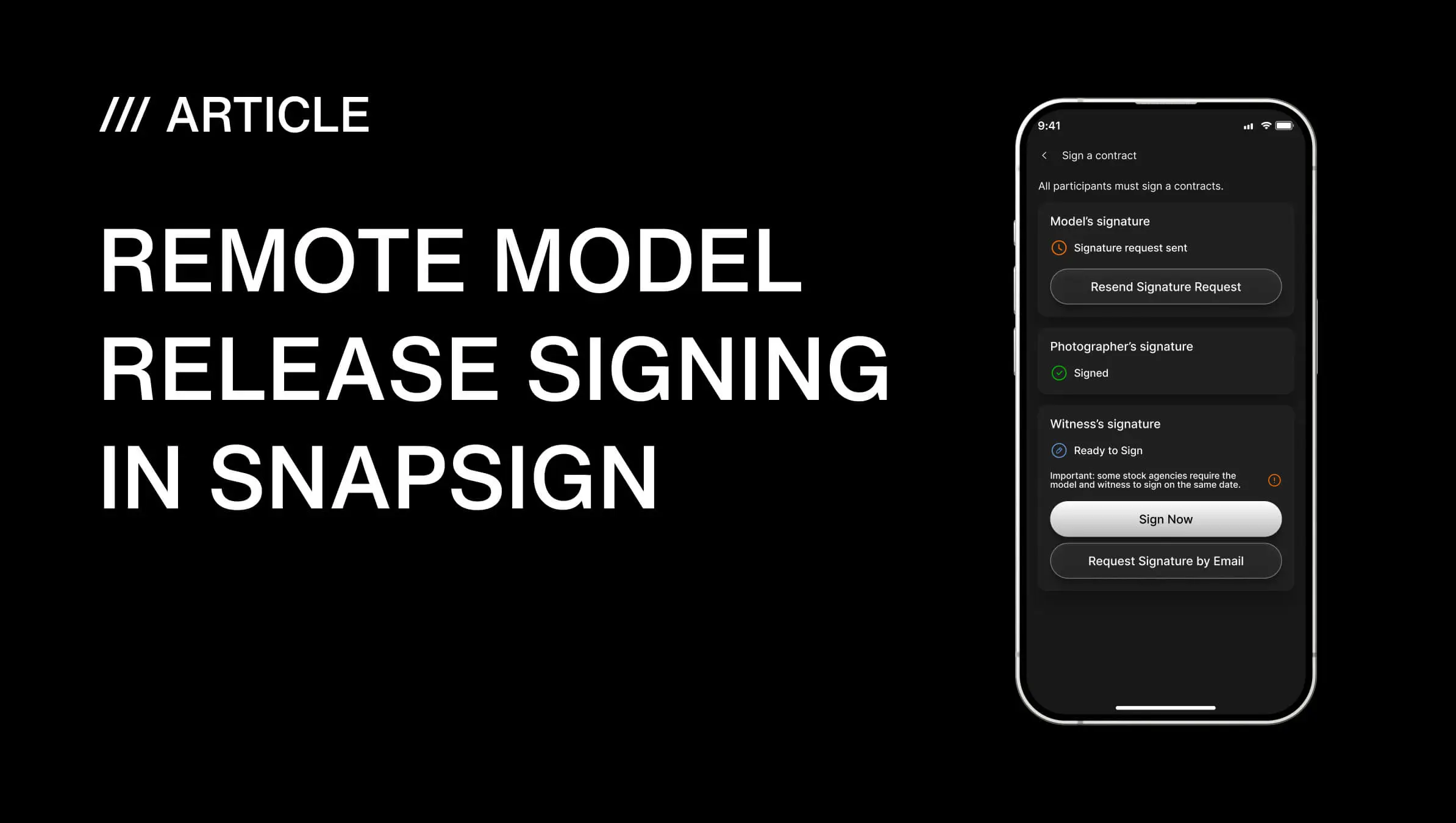
We built SnapSign to replace paper releases with a digital workflow that handles the entire signing process on a phone. You choose a Template - Model Release, Property Release, Minor Model Release, 2257 compliance form, or a Custom Template - fill in the shoot details, and hand the phone to the model to sign on the spot. If they are not physically present, you send a Signature Request by email. The recipient signs through a secure browser link on any device - no app install required on their end. The link expires after 48 hours if unsigned. Once signed, the completed Contract is locked, timestamped, SHA-256 hashed for tamper evidence, and stored in the cloud.
| Feature | SnapSign | Paper releases | Generic e-sign apps |
|---|---|---|---|
| Built for model releases | Yes - 11+ templates including Getty Images certified | No | No - generic contract tools, no release-specific fields |
| Remote signing | Yes - secure tokenized email link, 48-hour expiry | No | Yes |
| Contract hashing (tamper evidence) | Yes - SHA-256 hash on every signed Contract | No | Rarely |
| Cloud storage | Yes - survives a lost phone | No - survives nothing | Varies |
| Group Events (multi-person shoots) | Yes - send to entire roster at once | No | No |
| Stock agency acceptance | Yes - Getty Images certified, meets Adobe Stock and Shutterstock standards | If scanned clearly | Not guaranteed |
SnapSign is free for core contract creation. Premium unlocks Custom Templates and Group Events for multi-performer productions. For photographers submitting to stock agencies, the Getty Images certified templates alone save hours of back-and-forth with rejections over missing fields. See how SnapSign compares to Easy Release for in-person and remote release workflows.
2. Adobe Lightroom Mobile - Professional Photo Editing
Lightroom Mobile is the closest thing to a desktop editor that fits in your pocket. Full RAW support, color grading, masking, healing, geometry corrections, and preset syncing across devices. Shoot tethered or import from an SD card, edit on the phone, and the edits sync to your desktop catalog when you get home.
The mobile version is not a stripped-down companion app - it is the same processing engine as desktop Lightroom, optimized for touch. Photographers who deliver fast turnarounds for clients or social media do the entire edit on a phone or tablet and never open the desktop app. The free tier covers most editing needs. The paid plan adds cloud storage, healing brush, and selective adjustments.
If you shoot RAW and need color-accurate editing on location, Lightroom Mobile is the standard. There is no close second on mobile. See Adobe's Lightroom Mobile page for the full feature breakdown across free and paid plans.
3. PhotoPills - Location Planning That Replaces Guesswork
Great landscape and outdoor photography is mostly planning. PhotoPills overlays sun position, moon phase, Milky Way alignment, and golden hour timing onto a map for any date and location. You stand at the shoot location, open the app, and see exactly where the sun will be at 6:47 PM on the day of the shoot - down to the angle relative to the mountain ridge you are framing.
The app also includes depth-of-field calculator, exposure calculator, time-lapse calculator, and a star trails simulator. It is a one-time purchase, not a subscription. For landscape, astro, and architectural photographers, PhotoPills pays for itself the first time it saves a wasted trip to a location where the light does not work. The PhotoPills website includes tutorials and a gallery of planned shots from photographers worldwide.
4. Halide - Manual Camera Control
Halide (iOS only) turns an iPhone into a camera with manual focus, exposure, ISO, shutter speed, and white balance controls. It shoots RAW and offers focus peaking, a live histogram, and a minimal interface that stays out of the way.
This is not for replacing a dedicated camera. It is for the moments when pulling out the full rig is not practical - scouting locations, grabbing BTS shots, capturing a reference frame for lighting. The manual controls mean you get exactly the exposure you want, not what the phone's auto mode guesses. For Android users, ProShot and Open Camera offer similar manual controls.
5. Snapseed - Free Editing That Punches Above Its Weight
Snapseed is the best free photo editor on mobile. Non-destructive editing, selective adjustments, healing, perspective correction, and a clean interface with no ads. Owned by Google, updated regularly, completely free.
It does not match Lightroom's RAW processing or catalog management. But for quick client previews, social media edits, and photographers who want a capable editor without a subscription, Snapseed is the answer. The selective adjustment tool - tap a point, drag to set the affected area, then adjust brightness, contrast, and saturation just for that zone - is faster than Lightroom's masking for simple local edits.
6. LumaFusion - Video Editing for Hybrid Creators
Most photographers now create video alongside stills - behind-the-scenes clips, reels, client highlight reels. LumaFusion is a professional multi-track video editor for iOS and Android. Multiple video and audio tracks, keyframe animation, color correction, LUT support, and export in resolutions up to 4K.
It is overkill for trimming a ten-second reel. It is exactly right for editing a two-minute client highlight reel with color grading, music, and titles - entirely on a phone or tablet. One-time purchase, no subscription. On Android, KineMaster offers a freemium alternative for simpler edits. On desktop, Premiere Pro and DaVinci Resolve remain the standards - but neither runs on a phone.
7. Google Photos - Backup That Requires Zero Effort
Google Photos is not primary storage - it is the safety net. Automatic cloud backup of every photo on your phone, AI-powered search across your entire library, and instant sharing links for client proofs. The search alone justifies the app: type "golden hour portrait" or "dog beach" and it finds those images across years of photos without any manual tagging.
Professional photographers should pair this with a RAW file backup solution (Backblaze, Dropbox, or a NAS). Google Photos handles the JPEG layer - the edits, the exports, the client previews. If your main drive fails and your backups are three days stale, Google Photos has the JPEGs. That alone is worth the zero dollars it costs.
8. VSCO - Visual Consistency for Editorial Photographers
VSCO is built for photographers who care about a consistent visual identity across a body of work. The film-inspired presets are more subtle and natural than Instagram filters. The editing tools are precise. The platform itself functions as a portfolio for editorial, fashion, and lifestyle photographers.
The free tier includes core editing tools and a limited preset set. The membership unlocks the full preset library, advanced editing tools, and portfolio features. VSCO is less about individual image polish and more about making fifty images from a shoot look like they belong to the same photographer.
9. Prisma - AI Creativity for Experimental Work
Prisma is not a production tool. It is an artistic one. The app applies AI-powered style transfers that turn photos into painterly interpretations - watercolor, oil painting, graphic novel styles. Photographers use it for creative experiments, album art, social-first content, and reference frames for art direction.
It does one thing well. For photographers who also create visual art beyond straight photography, Prisma earns its spot on the phone.
10. Lapse - Intentional Photography Sharing
Lapse is a social platform built around one constraint: you take the photo in the app, and it "develops" over time before you see it. No uploads from your camera roll. No instant gratification. No algorithm optimizing for engagement. The result is a feed of photography that people actually looked at before posting.
For photographers tired of Instagram's reels-first direction and algorithmic feed, Lapse offers a space where still images are the point. It is not a portfolio replacement and it is not a client delivery tool. It is where you share work with other photographers who value the image over the engagement metric. The app is free.
Building a Mobile Photography Workflow - What Actually Matters
After shooting on film and running a photography business, here is what I have learned about tools: the ones that protect your work matter more than the ones that make it pretty. A photographer with Lightroom and no model releases has beautiful images they cannot license. A photographer with SnapSign and no editing app has legally protected images they can edit later.
The minimum viable mobile workflow is four apps:
- Legal protection - SnapSign for model and property releases, stored in the cloud with tamper-evident hashing
- Editing - Lightroom Mobile for RAW processing or Snapseed for quick edits
- Planning - PhotoPills if you shoot outdoors, anything location-dependent
- Backup - Google Photos for automatic JPEG backup plus a RAW backup solution
Add Halide if you shoot on your phone intentionally. Add LumaFusion if you deliver video. Add VSCO or Lapse if you share work publicly. But the four-app core - legal, edit, plan, backup - covers the foundation. Everything else is preference.
Final verdict - Photography Apps
The best mobile apps for photographers in 2026 are not the ones with the most features - they are the ones that solve the problems that actually cost you money, time, or sleep. A signed model release prevents a lawsuit. A planning app prevents a wasted shoot. A backup prevents a destroyed archive. Editing makes the image look good. The other four make the business survive. Build your workflow from the protection layer outward - the creative tools are more fun, but the legal and backup tools are the ones you will be grateful for when something goes wrong.