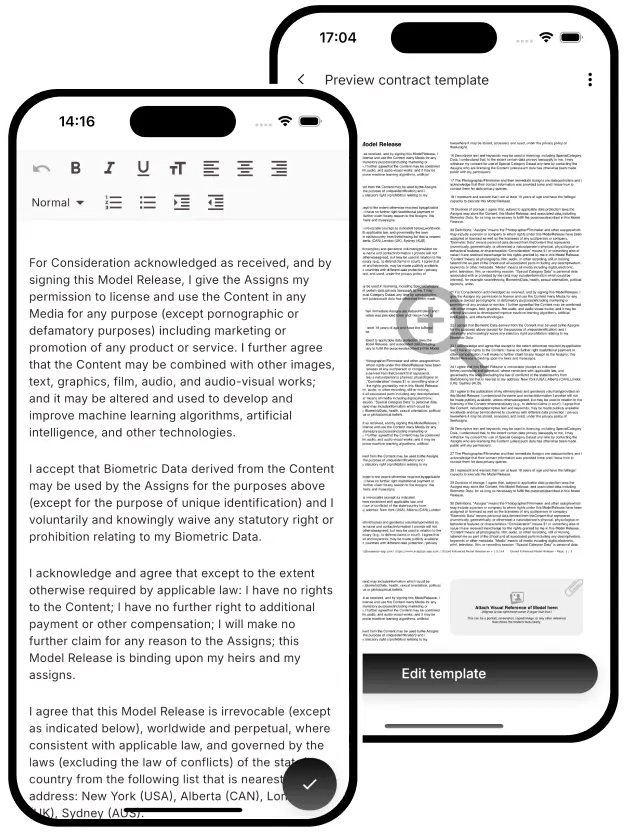
Why add your release template to SnapSign?
Organizations that receive release documents from photographers and creators often deal with recurring problems such as:
- Outdated forms
- Incomplete fields
- Missing signatures
- Wrong language versions
- Incorrectly filled PDFs
- Documents that need to be recreated before they can be accepted
This creates unnecessary back-and-forth between the organization and the creator. It also slows down review workflows and increases the chance that important rights documentation is incomplete or inconsistent.
By adding your official release template to SnapSign, you give creators a clearer and safer way to complete the right document from the start.
SnapSign does not simply display your text in the app. A template can include:
- Structured participant forms
- Required fields
- Validation rules
- Supported languages
- Signature workflows
- Generated PDFs that follow your expected document structure
The result is a more controlled process for creators and a more consistent document for your organization.
Trusted by professional content workflows
SnapSign is already used in professional image and video rights workflows, including workflows involving stock content and contributor releases.
Getty Images has confirmed that releases generated by SnapSign meet their standards, including enhanced model releases, when correctly completed. For organizations that rely on release documents at scale, this is an important part of the value SnapSign can provide.
When an official template is available inside SnapSign, creators can use a guided workflow instead of manually preparing the document themselves. This helps reduce common mistakes and makes it easier for your team to receive documents that follow your required structure.
Your organization can also update templates more efficiently. If your legal text, language versions, required fields, or validation rules change, you can send us the updated requirements and we can prepare a new version of the template. Once released, the updated template becomes available to SnapSign users through the app.
SnapSign also supports PDF verification, allowing documents generated by SnapSign to be checked later. This can help confirm that a PDF was created through SnapSign and has not been changed after generation.
What can be included in your template?
Your SnapSign template can be built around your organization’s official release document and workflow requirements.
This may include:
- Your legal text
- Your required PDF layout
- Participant roles
- User input forms
- Required fields
- Custom validation rules
- Signature sections
- Localized versions in the languages your organization needs
For example:
- A model release template may require information from the model, photographer, legal guardian, or witness
- A property release may require information about the property owner, property details, location, shoot information, and creator
- Other rights documents may need different participant roles or signing logic
SnapSign can also support both in-person and remote signing. A participant can sign directly in the app, or the creator can send a Signature Request by email. In that case, the signer does not need to install SnapSign. They receive a link, open the document in the browser, review or complete their personal details, and sign remotely.
If your template needs to support larger shoots, we can also review whether it should be adapted for SnapSign Group Events. Group Events are useful for workshops, group shoots, casting days, productions with multiple photographers, multi-day events, or other situations where many releases need to be collected and tracked in one place.
How the implementation process works
The process starts with a request from your organization. Tell us which release template you would like to add to SnapSign, who should be able to use it, and whether it should be publicly available to all SnapSign users.
After that, you send us the materials and requirements for the template. Usually this includes:
- The official PDF or reference layout
- The final legal text
- The list of fields that must be collected
- Participant roles
- Validation rules
- Required languages
- Any special instructions your team needs us to follow
We then review the workflow and confirm the scope. At this stage, we look at:
- Which information needs to be collected
- Who needs to sign
- Which fields should be required
- How the final PDF should look
- Which languages are needed
- Whether the template should support individual contracts, Group Events, or both
Once the requirements are clear, we implement the template in SnapSign. This includes the template text, forms, validation rules, signing workflow, language versions, and PDF generation.
Before the template is released publicly, your team receives access to a test version. You can review the template on iOS, Android, and the web signing flow. This allows you to check the generated PDFs, field behavior, validation rules, signature process, and language versions before the template becomes available to users.
After your approval, we publish the update. The template then becomes available in SnapSign for creators to use.
Most template integrations take around 1–2 weeks after the final template and requirements are confirmed. The timeline depends on:
- The number of languages
- The complexity of the PDF layout
- The number of participant roles
- The validation rules
- Whether Group Event support is required
Get more from your SnapSign template
Adding your template to SnapSign can be only the first step.
If your organization works with many creators, contributors, contractors, or employees, you may also want to make SnapSign available to them for free. SnapSign can support partner promo codes, allowing an organization to provide app access to its creator community.
This can be useful for:
- Stock agencies
- Creator platforms
- Media organizations
- Nonprofits
- Production companies
- Other businesses that want contributors to use the correct release workflow without asking each creator to purchase access separately
Your template can also be adapted for Group Events when the workflow requires it. This is especially useful when releases need to be collected from many participants at the same shoot, workshop, event, or production.
Together, the following can create a complete release workflow for your organization and your creators:
- Custom templates
- Remote signing
- Group Events
- PDF verification
- Partner access
Want to add your release template to SnapSign?
If your organization has an official model release, property release, consent form, or other rights document that should be available to SnapSign users, contact us and tell us about your workflow.
We will review your template, discuss the requirements, and help turn it into a guided signing experience for creators.