Quick answer — how to organize paperwork on a photo or film shoot
A photo shoot paperwork workflow is a three-stage system: prepare everything before call time, collect signatures on set with as little friction as possible, and store everything securely after wrap. The difference between a shoot where paperwork runs itself and one where it eats half your day is whether you have a repeatable process — or whether you improvise from scratch every time.
Here is the checklist that the rest of this guide unpacks step by step:
| Stage | What to do |
|---|---|
| Before the shoot | Select templates, build the roster, send releases |
| At check-in | Verify completion, provide QR codes |
| During the shoot | Resolve missing signatures and last-minute additions |
| Before wrap | Confirm every required participant is covered |
| After wrap | Finalize, export, back up, and share the package |
But a workflow is only as good as the person who built it — and the experience behind it. Here is who wrote this guide and why the systems in it actually work on a real set.
Who this guide is from — and why the systems here work
I am Pavel Demidovich, a film photographer and filmmaker. I shoot on a Nikon FM2n — fully manual, no screen, no burst mode. When you shoot film, every frame costs money and there is no chimping the LCD to check if you got the shot. You learn to get things right before you press the shutter — and that same discipline applies to paperwork.
I have been on sets where the producer spent more energy chasing signatures than producing. Clipboards vanished, pens ran dry, someone always forgot page two. I built SnapSign because that chaos is avoidable — and the people who taught me how to run a clean set taught me that paperwork is part of production, not a chore you survive after wrap.
This guide is the workflow I wish someone handed me ten years ago. It is based on real shoots — fashion shows with 30 models, film sets with cast and crew across three cities, street cast campaigns where half the participants had never seen a photo release form. Every recommendation here comes from a mistake made, a signature missed, or a shoot saved by having the system in place before call time.
But for every photographer who builds a system, there are ten who do not — and the cost of treating paperwork as an afterthought compounds across every project. Here is what goes wrong when you improvise.
What goes wrong when paperwork is an afterthought
Most photographers treat paperwork as the last thing — a chore to survive, not a system to build. The result is predictable.
A model leaves set before signing. You realize the release form you printed is for the wrong state — or the wrong country — and now you have to reprint while talent waits. A client asks for all signed releases before sending payment and you spend an evening digging through folders, email attachments, and camera bags trying to assemble a complete set. An agency rejects a submission because the release is missing a witness signature — one you could have collected if you had caught it on the day.
These are not edge cases. Every working photographer has at least two of these stories. On photography forums, the most common paperwork horror story follows the same pattern: a model refuses to sign after the shoot, and the photographer has no legal recourse. The images sit on a hard drive, unusable. Another photographer described losing a licensing deal because their paper forms were crammed in a binder with no consistent naming system — the release existed, but they could not find it. A release you cannot find is functionally the same as no release.
The fix is not working harder — it is working with a system that catches these gaps before they become problems. A well-designed model release workflow does not add time to your shoot. It removes the time you would otherwise spend fixing mistakes.
Pre-shoot: templates, rosters, and the 24-hour rule
The single biggest lever you can pull is sending paperwork before anyone arrives on set. When a model signs their release from their couch the night before, you have one less thing to track during the shoot. It sounds obvious, but most photographers do not do it — because the old way (email a PDF, wait for a scan, chase a reply) is more work than handing them a clipboard.
Pick your templates once, not per shoot
Every shoot needs slightly different paperwork. A fashion editorial with agency models needs standard model releases. A commercial campaign in a rented location may need model releases plus a property release or location agreement — depending on the contract with the venue, the intended use, and stock platform requirements. A music video with dancers, extras, and a crew of five needs a cast release workflow that covers every role.
Do not draft these from scratch. Build a template library once — model release, property release, minor model release, crew agreement, NDA — and pick the right one per project. The ASMP legal resources are a good reference for understanding what belongs in each type of release. A word of caution: most search results for "photo release form" give you a static PDF template and leave you to figure out the signing, storage, and verification yourself. A template without a signing workflow is half a solution — you still need to print it, get it signed, scan it back, and file it somewhere you will remember six months later.
We include 11+ built-in templates in SnapSign, covering everything from standard model releases to Adobe-compatible and Getty Images Templates, plus Custom Templates when you need your own contract language. One template, configured once, reused across every shoot that needs it. The signing, storage, and verification are built into the same flow — no PDF printing, no scanning, no wondering which folder you saved it in.
Map your roster before you need it
For shoots with more than five participants, build a roster. List every person who needs to sign something, what they need to sign, and their email address. A fashion show with 30 models needs 30 model releases. A film set with cast, crew, and location owners needs three distinct document types across three groups of people.
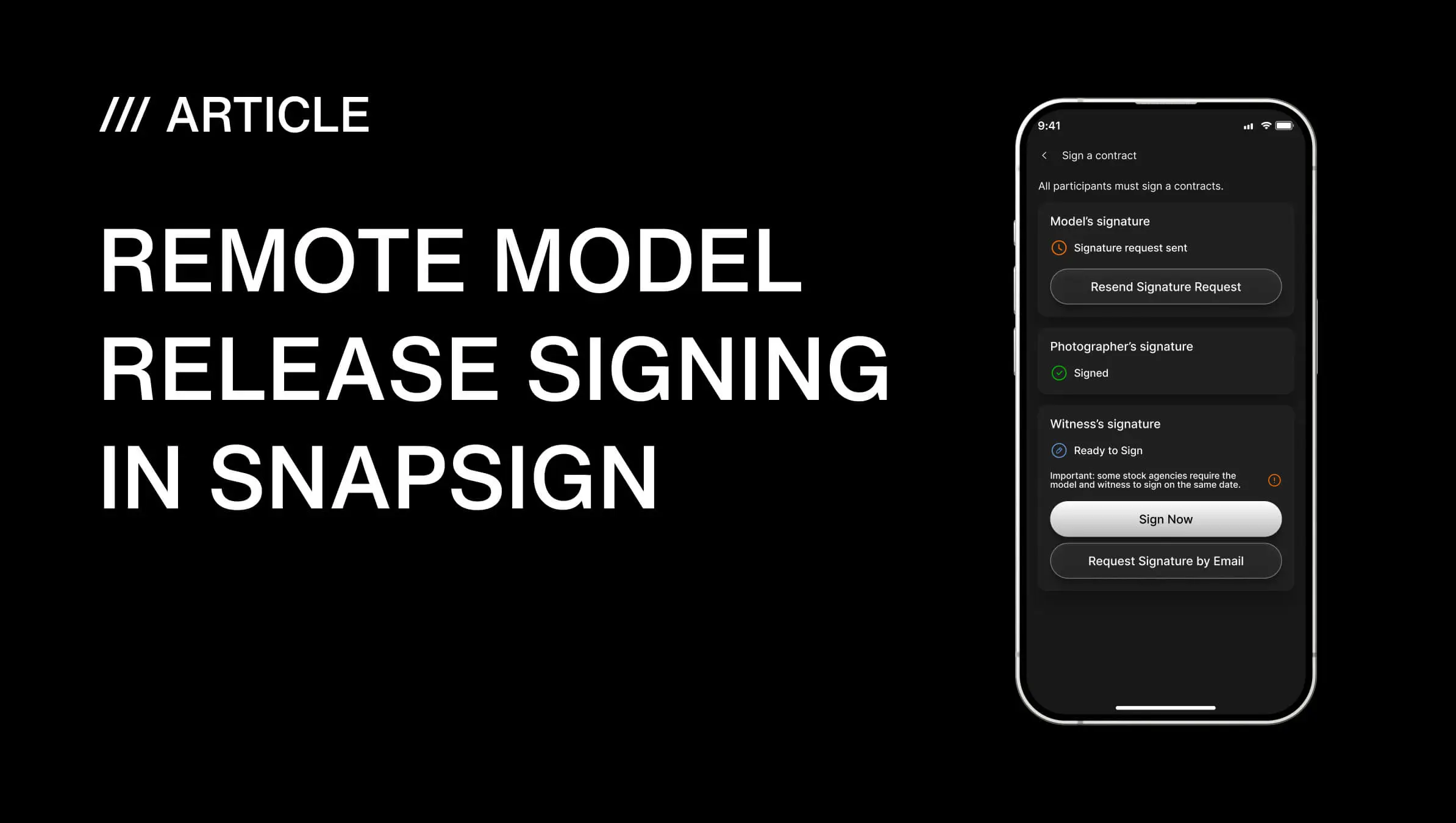
Group Events handle this structure for you. Models go on the Models roster and sign model releases. Creators — photographers, videographers, art directors — go on the Creators roster and sign participation agreements. If the shoot involves a rented studio, property owners go on the Property Owners roster with a property release. Each roster has its own Invitation Link with configurable expiry — one hour, one day, one week — and a join limit. Share the link or the QR code. Participants register themselves, enter their own details, and sign. You watch the roster fill up from a single screen.
The Event organizer — you — signs last, locking the event and generating finalized contracts for every participant. No chasing. No spreadsheets. No wondering whether the bride's mother ever opened the release link.
The 24-hour rule
Send every Signature Request at least 24 hours before call time. Models sign from their phone. Crew signs from their laptop. The link is valid for 48 hours — if someone forgets, they still have a full day after the shoot to catch up. But the goal is to walk onto set with every signature already collected.
If you are booking talent through an agency, send the release to the agent. If the model is a minor, the Signature Request goes to the parent or legal guardian — the form collects guardian information and signature separately from the minor's details. The system enforces the structure. You do not have to remember who needs what.
On set: signing that does not slow you down
Even with the 24-hour rule, things come up. A dancer shows up last minute. An extra replaces someone who canceled. A location owner wants to review terms before signing. The on-set workflow needs to handle these without killing momentum.
QR codes for the win
Print a QR code for each roster's Invitation Link and tape it to the craft services table, the makeup station, or the check-in desk. Participants scan, enter their email, and complete their release on their phone while waiting. You do not hand them anything. You do not explain anything. The link handles the flow — email verification, form completion, signature, confirmation.
I have seen this work on a fashion shoot with 30 models. The producer taped one QR code to the wardrobe rack. By the time foundation was set, every release was signed. What used to take hours took the time it takes to scan a code.
Last-minute additions: the 60-second contract
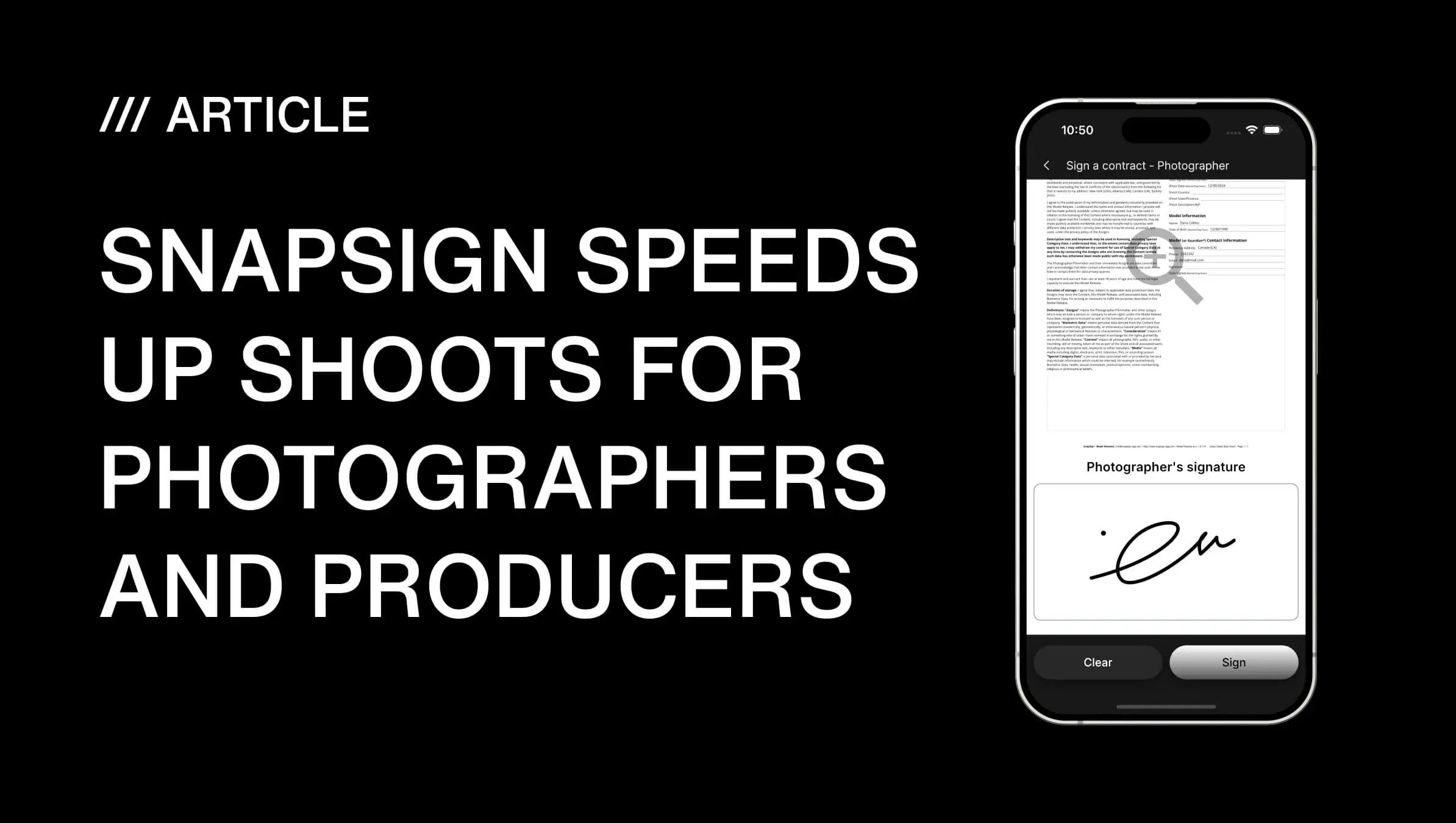
Open the app, create a new contract from a template, enter the participant's name and email, send the Signature Request. The link lands in their inbox. They open it in their browser, review, sign. The whole flow takes under a minute on your end. No printer. No clipboard. No "I'll get it to you later" that never happens.
If you are on a set with no internet — remote location shoots happen — create the contract as a Draft in the app. Fill in what you can. When you have a connection, open the Draft, finalize it, and send the Signature Request. No lost work. No double entry.
Multiple creators, one system
Productions with more than one creator — a photographer and a videographer, or a director and a DP — need every creator's signature on the appropriate agreements. A photography contract between collaborators is different from a model's release — it covers usage rights, deliverables, and payment terms. Group Events include a Creators roster specifically for this. Each creator signs their own participation consent contract, which is distinct from a model's release. The Event organizer signs last to finalize.
This matters for photo and video productions where the legal relationships between multiple creators affect usage rights, licensing, and distribution. One missed signature from a creator can hold up a campaign. The roster view makes that gap visible immediately.
Every signature collected on set moves the project forward. But collecting them is only half the job. The other half is storing them so you can actually use them — six months, two years, or a decade later.
Post-shoot: storage that survives a client audit
The shoot wraps. Everyone goes home. Six months later, a brand wants to license an image for a global campaign and asks for the signed release. If you cannot produce it in five minutes, the deal might not wait.
What a complete post-shoot package looks like
After every participant has signed and the Event organizer has finalized the Group Event — or every individual Contract shows as Signed — you have:
- Signed PDFs — one per participant, with embedded signatures, timestamps, and contract terms.
- Certificates — an audit trail file for each contract, useful for agency submissions and legal review.
- SHA-256 contract hash — a cryptographic fingerprint of each signed contract. If anyone ever questions whether a release was altered after signing, the hash proves it was not.
- Cloud storage — every contract lives in your account, searchable by keyword, contract type, or date range. No folder digging. No "I think it's on my old laptop."
Export as PDF for client delivery. Export as JPG for quick sharing in a chat thread. Download the Certificate when the agency requires proof of authenticity. Everything is already organized by project because you set it up that way from the start.
Contract verification — the feature you hope you never need
Contract hashing is one of those features that sounds abstract until it saves you. Every signed SnapSign contract carries a SHA-256 hash — a unique digital fingerprint generated from the PDF content. You can verify any contract PDF on our website: upload the file, and the tool checks whether it matches the original. If a single pixel or character changed, the hash breaks.
This is how you demonstrate that a release has not been tampered with — to a client, an agency, or anyone who questions whether the signed document is the same one you have on file. We built this because a photographer on our team once had a model claim the release she signed was "different from what she agreed to." The hash ended that conversation in thirty seconds.
The pre-shoot, on-set, and post-shoot framework covers the structure. But every photographer eventually hits a scenario that does not fit neatly into the template. Here are the real questions that come up on actual sets — and how to handle each one.
Questions photographers actually ask about paperwork workflows
"What if I shoot film and do not have a production team?"
I shoot on a Nikon FM2n — fully manual, no screen, no burst mode. When you shoot film, every frame costs money and you do not have time to babysit forms between rolls. The workflow for solo film photographers is: create the contract and send the Signature Request before you leave the house. By the time you arrive, the release is signed. If you are shooting a stranger on the street and want to use the image commercially, hand them your phone with the Invitation Link open — thirty seconds, done.
"What if the model refuses to sign?"
Do not shoot. A model who will not sign before the shoot will not sign after. The power dynamic flips the moment you have images of them — now they have leverage. Explain before the shoot that the release is standard, non-negotiable, and protects both of you. If they still refuse, politely decline the collaboration. One unsigned release can block an entire campaign.
"How do I handle releases for street cast models — people I recruited the day before?"
Send the Signature Request immediately after they agree to participate. The 48-hour window gives them flexibility. If they do not sign before call time, have a QR code ready on set. Make signing a condition of participation — no release, no shoot, no exceptions. Street cast participants are less familiar with industry paperwork, so include a brief personal message in the Signature Request explaining what they are signing and why. The 500-character message field in the invitation email is where you set expectations.
These scenarios cover the edge cases photographers actually hit. But there is another question worth asking — the one that separates the workflow from the overkill. When do you not need all of this?
When you can skip the formal workflow
Not every shoot needs a full roster, Group Event, and post-shoot certificate package. A TFP shoot with one model you have worked with five times? A single Contract from a template, signed in the app, takes two minutes. A personal project shot in your living room with a friend who has signed three releases with you before? Create a Draft, sign it together on your phone, and move on.
The workflow scales to the complexity of the shoot. The system is the same — templates, Signature Requests, cloud storage — but you use only the pieces you need. A wedding with a second shooter and 12 bridal party members needs Group Events. A headshot session with one model needs a single Contract. The overhead is proportional.
What you should never skip: documented consent. Every recognizable person in a commercially used image needs documented permission to appear — whether that is a model release, a talent agreement, an employment contract, or the terms of their participation. No exceptions for "it is just a small brand" or "they are a friend." Friends become adversaries when money enters the frame. A signed document keeps everyone on the same page.
Knowing when to scale down is part of the workflow. Knowing when the workflow itself gives you an edge over the photographer who wings it every time — that is where the real advantage lives. Here is the bottom line.
Final verdict — photo shoot paperwork
Paperwork is not the fun part of photography. But a shooter who can produce a signed, hashed, organized release package in five minutes — while another photographer spends an evening digging through folders — has a competitive advantage that compounds across every project.
The system is simple: templates before the shoot, signatures during, storage after. Build it once. Use it every time. The time you spend setting up the workflow returns tenfold the first time a client asks for releases and you send them before the email thread goes cold.